Delete a design
Remove a design from Your designs for everyone in the workspace. Its public link stops working, and you can't undo it.
Delete a design you no longer need from its ··· menu, on its card in Your designs or at the top of the open design. You need permission to delete chats; Admin and Strategist have it by default.
2 steps · About 2 minutes
Open the menu of the design
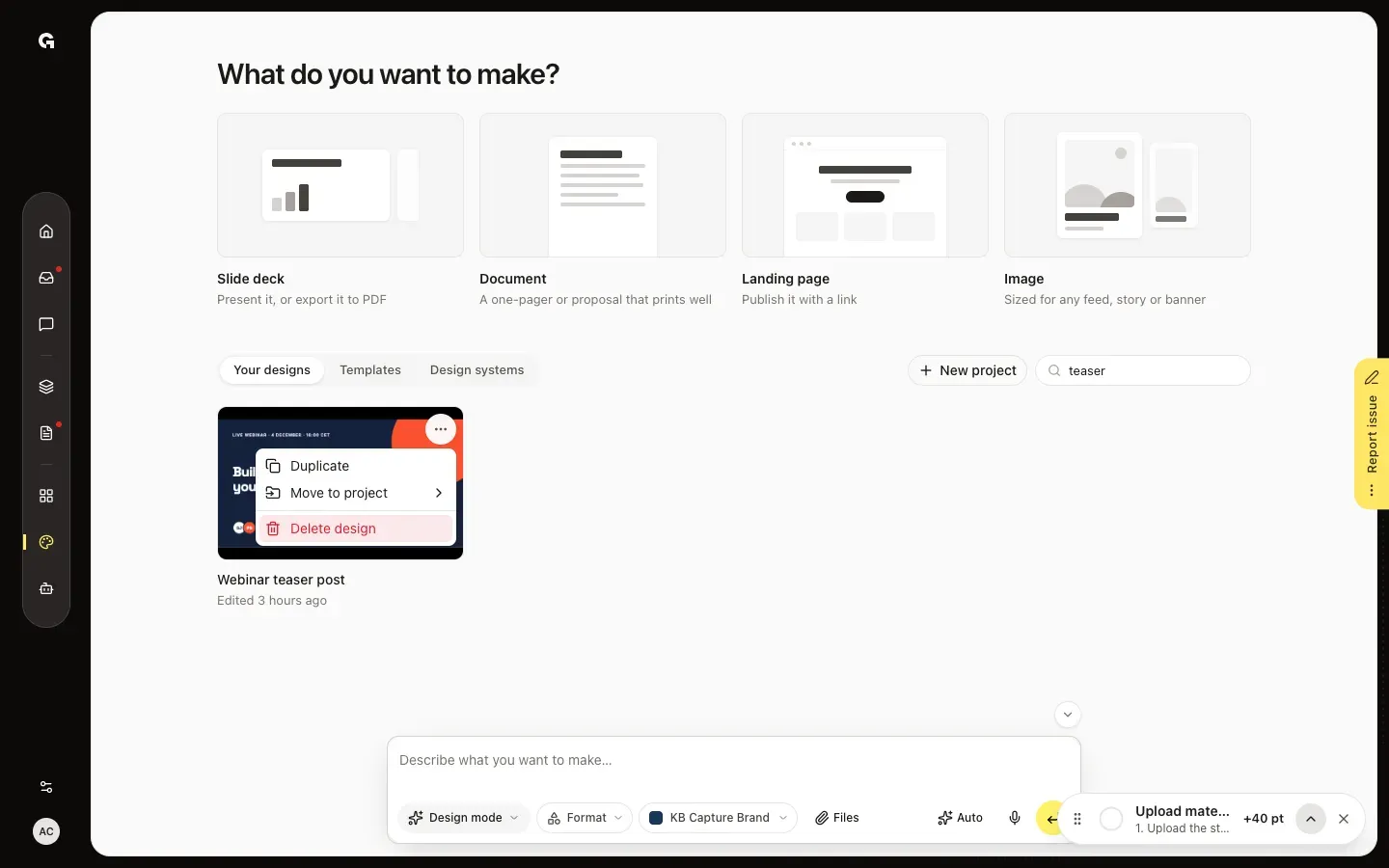
In the sidebar, click Design and find the design in Your designs, for example with Search designs. Point at its card, click ··· in its top right corner and choose Delete design. In an open design, Delete design is under ··· (More actions) at the top right.
Confirm
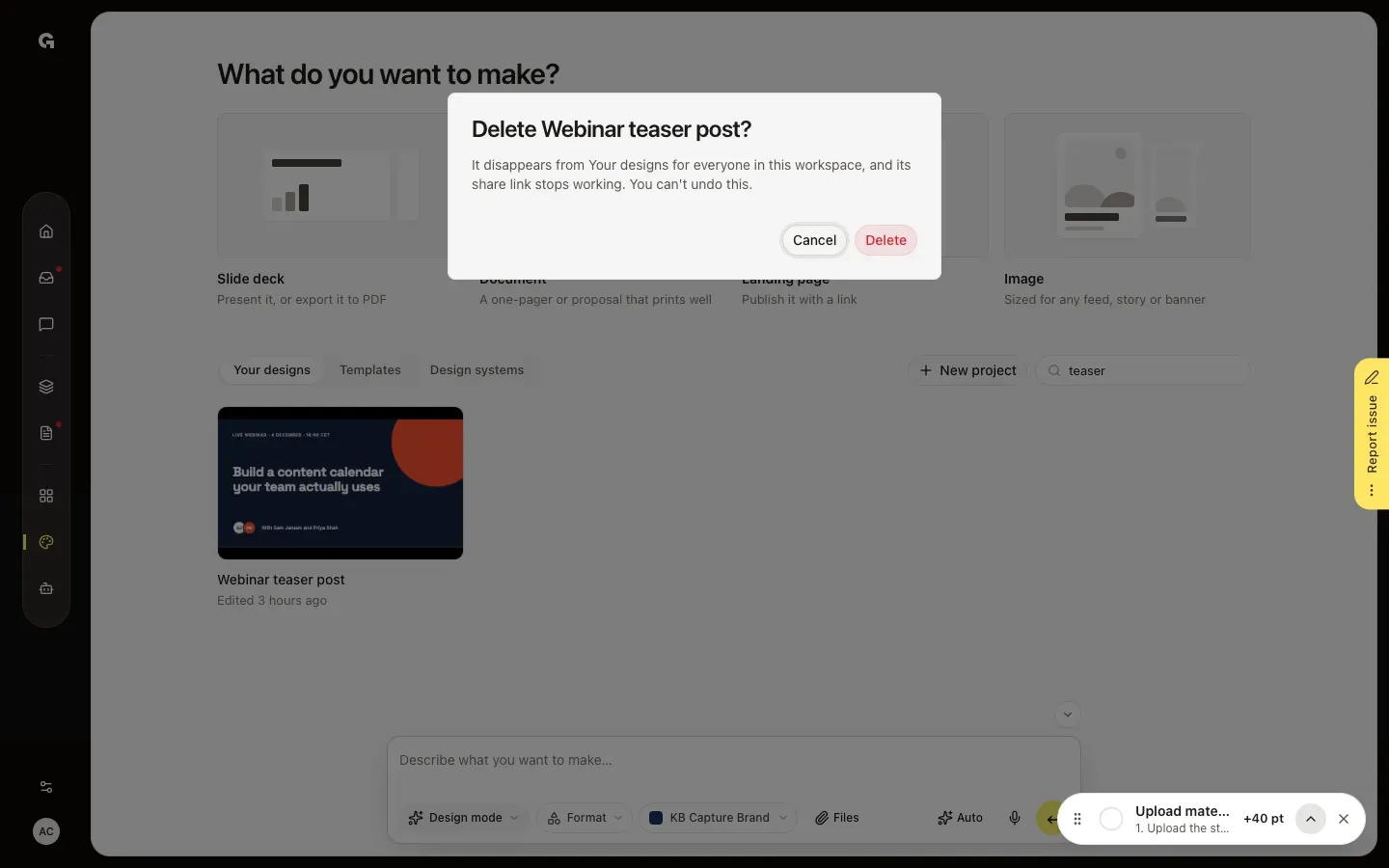
Growf asks, for example, Delete Webinar teaser post? and says that the design disappears for everyone in the workspace and that its share link stops working. Click Delete to delete it, or Cancel to keep it.
FAQ
Can I keep a copy first?+
Yes. Choose Duplicate in the same ··· menu before you delete the design.
What happens to the chat the design was made in?+
It stays, with its messages. The design is no longer open in it.
Are templates made from the design deleted too?+
No. A template is a separate copy and stays under Templates.
Who can delete a design?+
Everyone with permission to delete chats; Admin and Strategist have it by default. Under ··· (More actions) in an open design, Delete design is grey while the chat is working on a request.