Delete a design system
Remove a workspace brand and its stored brand files from the style guide.
Delete removes a workspace brand from Design Mode. Anyone who can update chat can do it. The control is on the style guide, not on the gallery card.
2 steps · About 2 minutes
Find the design system
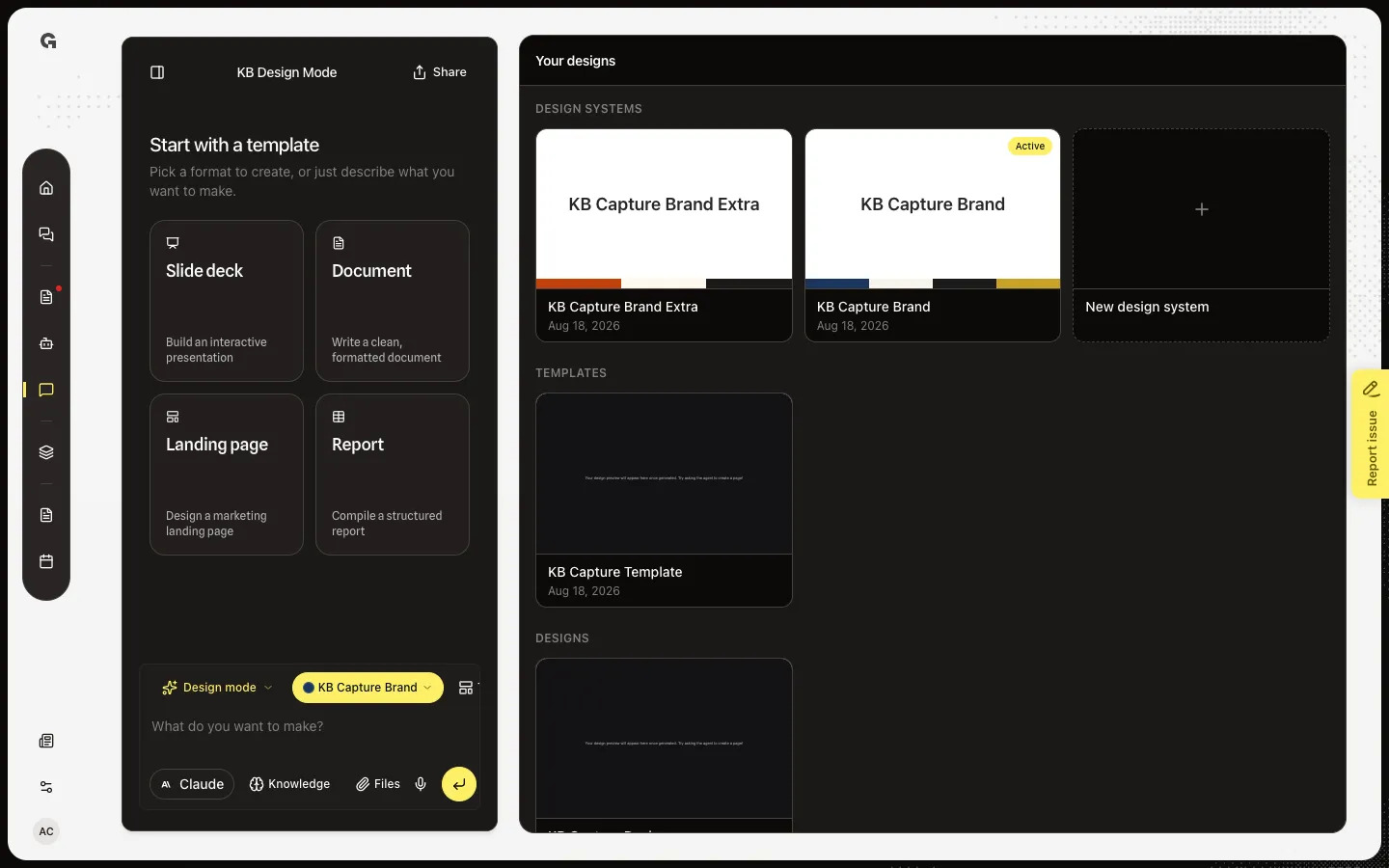
Open Design Mode. Design systems lists every workspace brand. KB Capture Brand Extra is a second ready system, not the Active default. Open the system you want to remove. Delete lives on the style guide, not on the gallery card.
Open the style guide
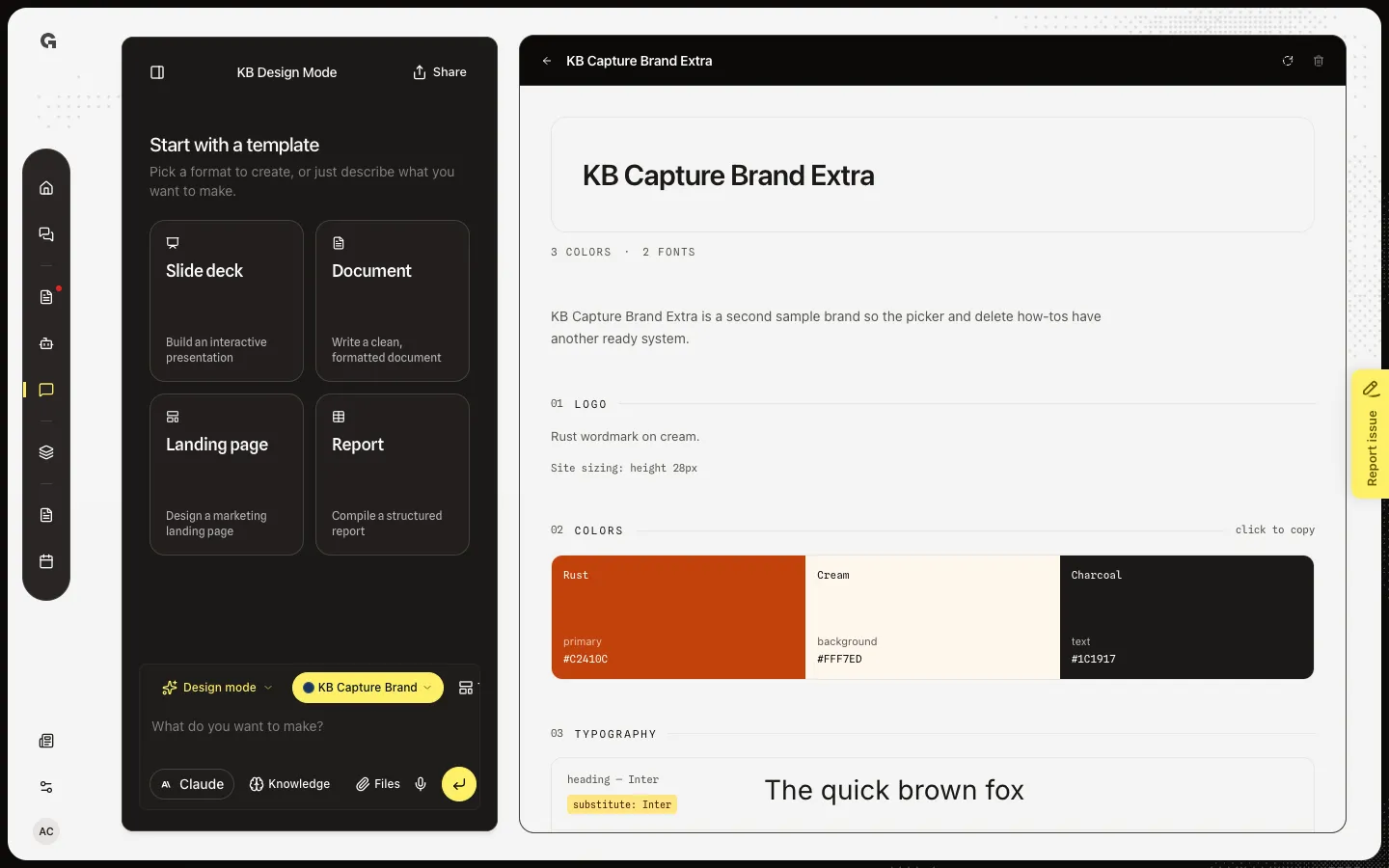
Choose KB Capture Brand Extra. The style guide title is the brand name. Delete design system is the trash control in the header. Confirm asks: Delete this design system? Its brand assets are removed too. This cannot be undone. Existing designs keep the look they already have; they just lose this brand for later edits.
FAQ
What is deleted?+
The design system row and the brand files stored with it. Designs and templates that used it stay in the gallery. They no longer have that brand to re-pin.
Can I undo delete?+
No. The confirm dialog says this cannot be undone. Cancel if you are not sure. Create a new system if you still need the brand.
I see Couldn't delete the design system.+
The request failed. Try again. You need permission to update chat.
What if I delete the Active brand?+
The workspace then has no default brand until you pick or create another. New designs start without tokens. Prefer deleting a spare system first.