Create a client workspace
Add one client workspace from Workspaces with New.
Create a workspace adds one **client** workspace from Workspaces. It is for agency admins who need a single client, not a spreadsheet of clients.
4 steps · About 3 minutes
Open Workspaces
Open All workspaces from the workspace switcher. New adds a **client** workspace. Your first agency workspace was created when you chose Create on Tell us about your agency. Do not use New for the agency.
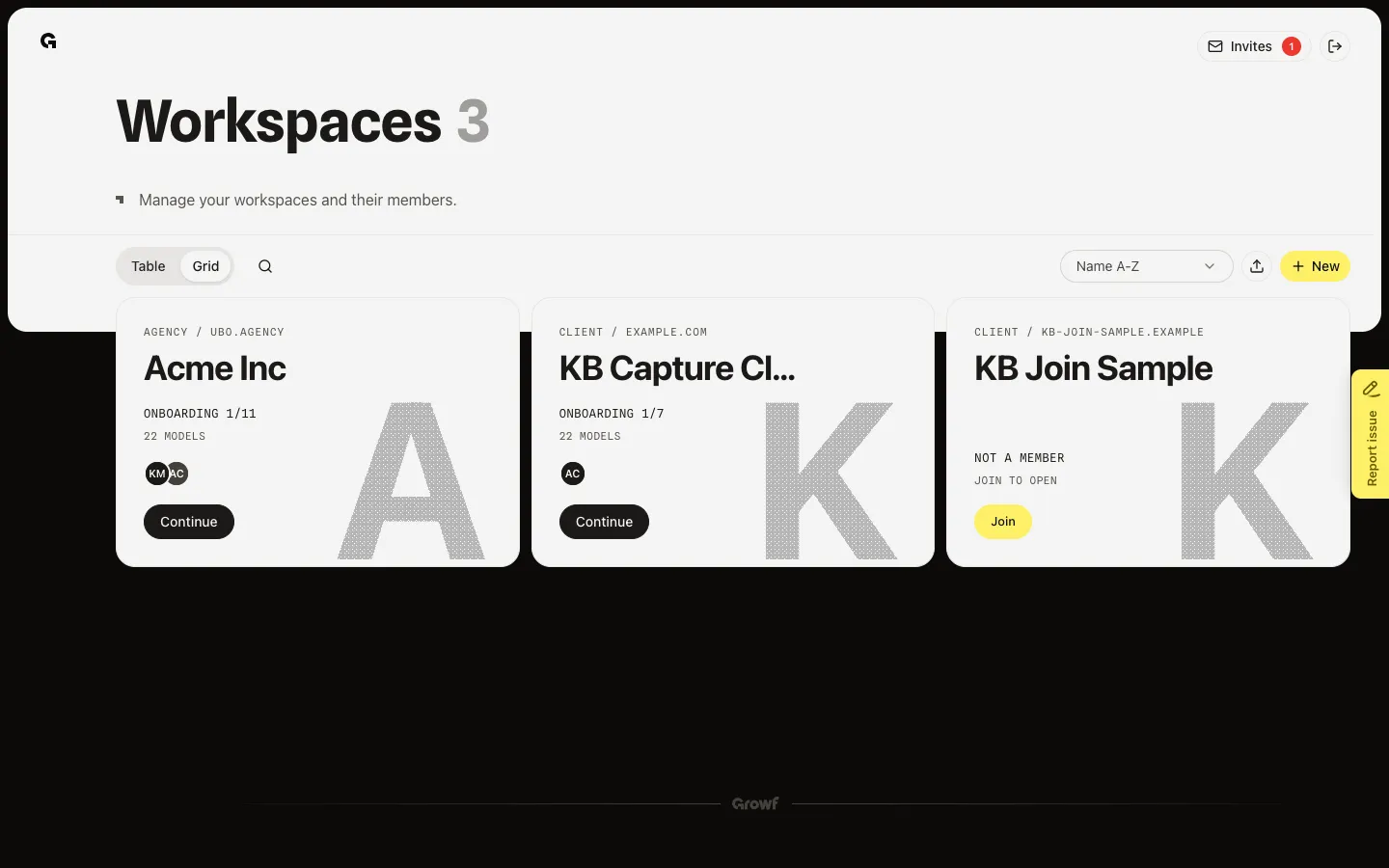
Open Create New Workspace
Choose New. Create New Workspace asks for a name and website. Language sets the main language for AI text. Timezone sets when scheduled content publishes. Import is the upload icon if you have a spreadsheet of clients.
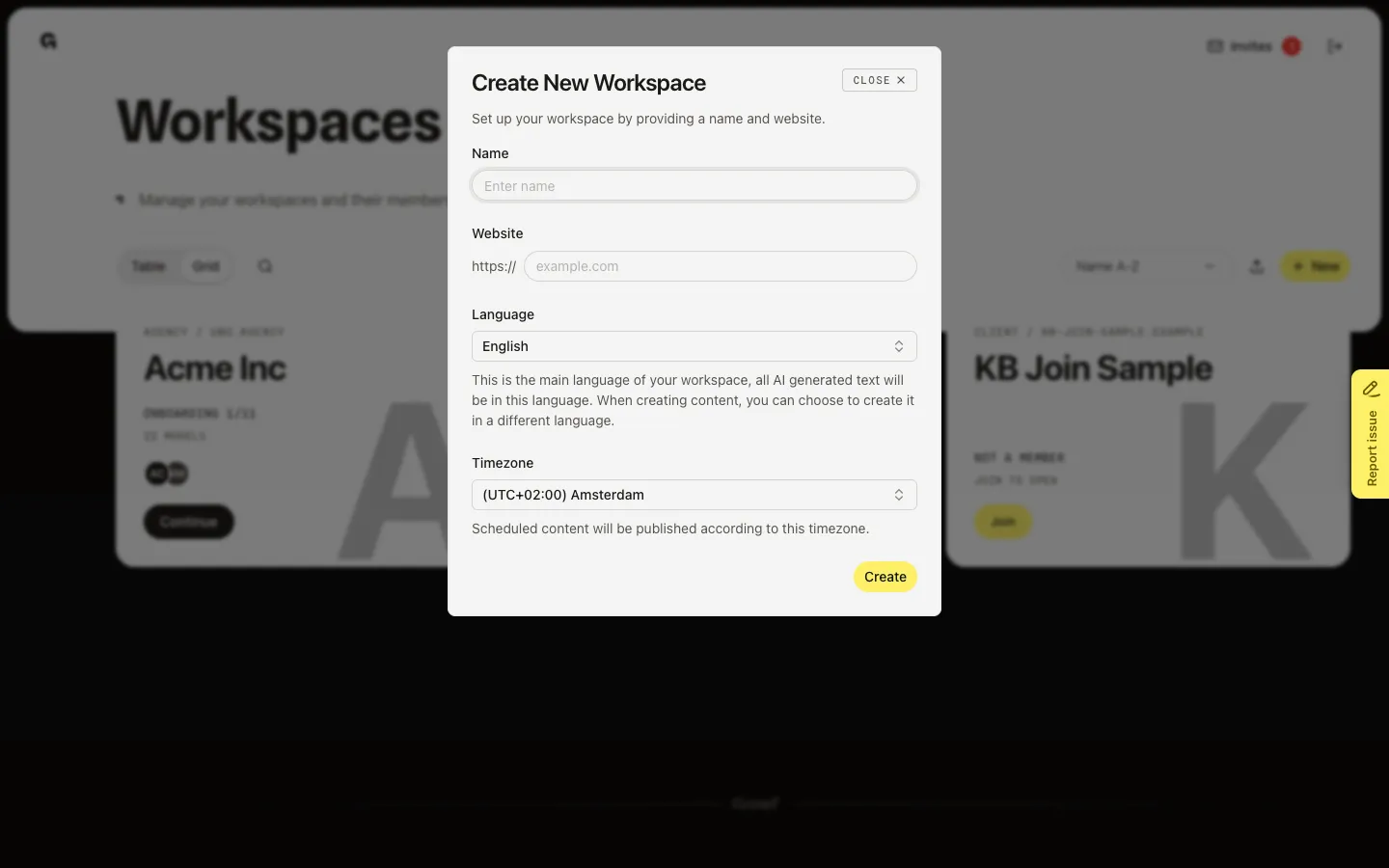
Enter name and website
Fill Name and Website (the field already shows https://). Growf checks that the site is public and reachable. Wait for Website is reachable before you continue. A domain already used in this agency is rejected.
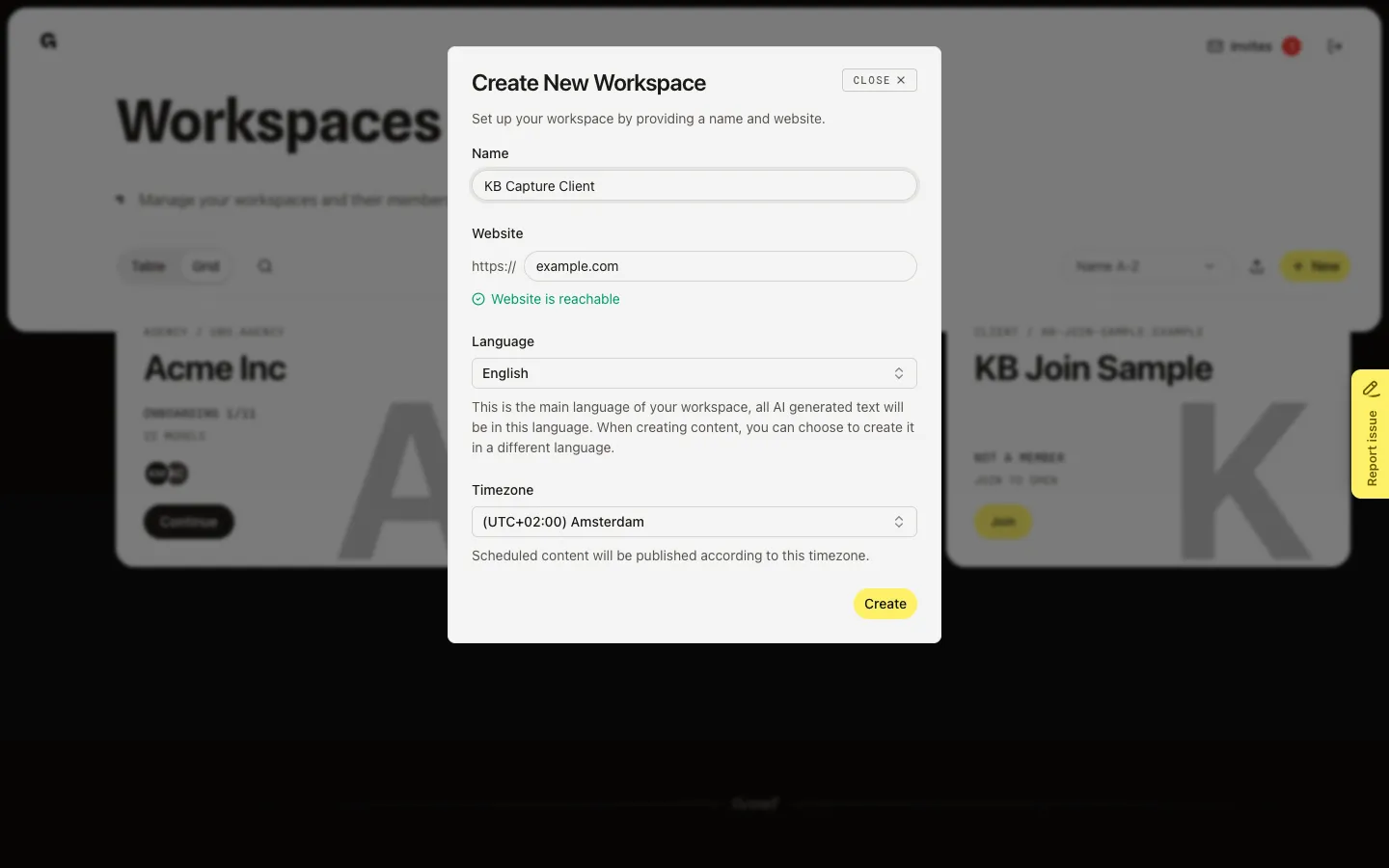
Create the client workspace
Choose Create. Growf adds a Client card and shows Workspace created successfully. On the card, Continue opens workspace onboarding. Open opens Home once onboarding is done. You become an admin of the new workspace.
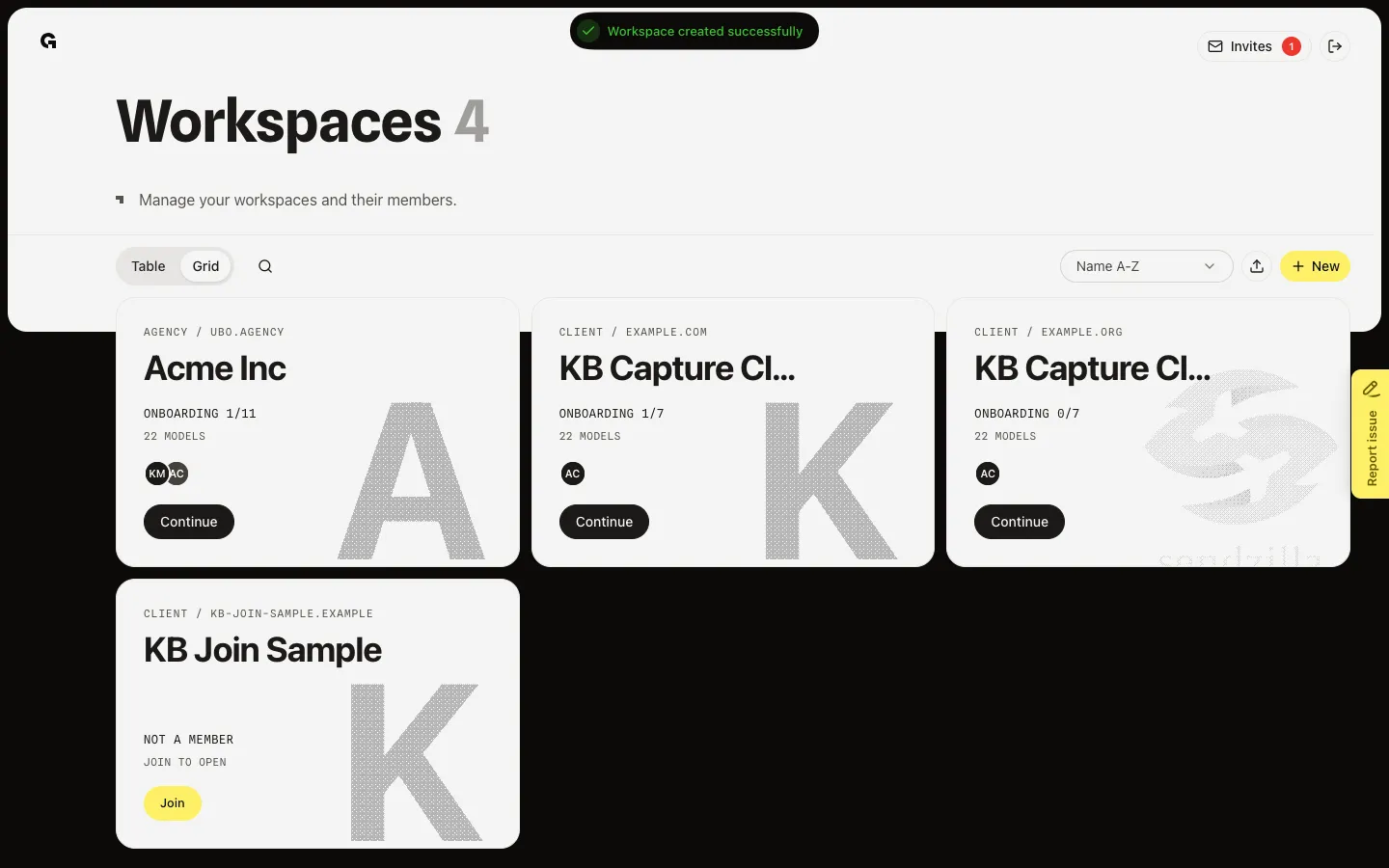
FAQ
Does New create my agency workspace?+
No. New always creates a client workspace. The agency workspace is created during sign-up, on Tell us about your agency.
I do not see New.+
You need permission to create workspaces, unless you have none yet. Ask an admin, or import clients if that icon is shown.
Create stays blocked or the website fails.+
Use a public site that responds. Private, timed-out, or redirect-only URLs fail. A domain already used for this agency also fails — pick another.
What do I do after Create?+
Choose Continue on the new Client card to start workspace onboarding. To add many clients at once, see Import client workspaces.