Create a buyer persona
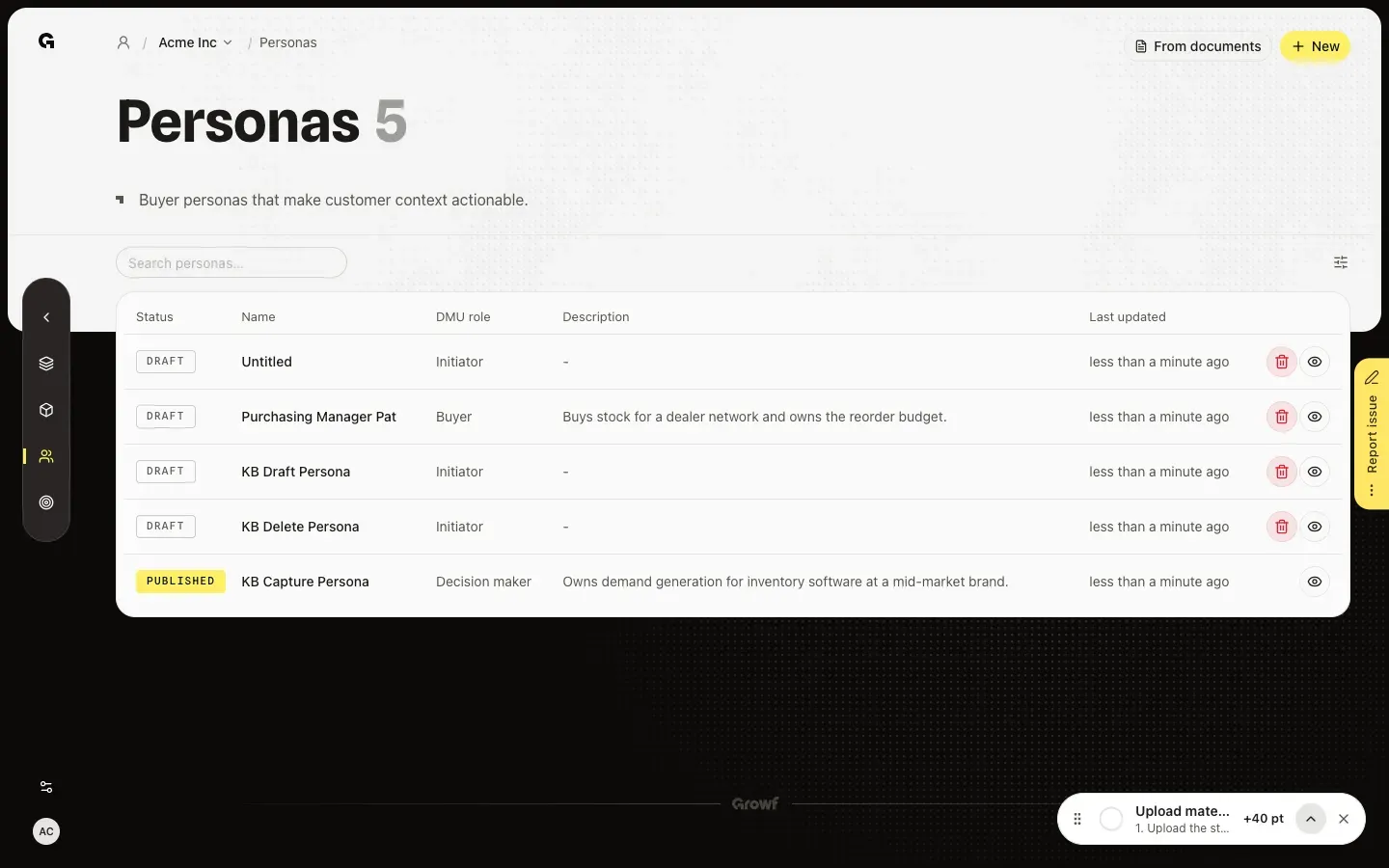
Choose New on Personas to start an Untitled persona and open its setup.
New on Personas starts a buyer role you then set up step by step. Growf names it Untitled and opens Persona configuration, where you pick the DMU role, the ideal customer profile it belongs to and its job titles. You find Personas under Strategy in the sidebar.
2 steps · About 2 minutes
Open Personas
In the sidebar, choose Strategy, then Personas. New sits at the top right. There is no form to fill in first: New starts the persona right away. From documents, next to it, finds personas in your documents instead.
Choose New
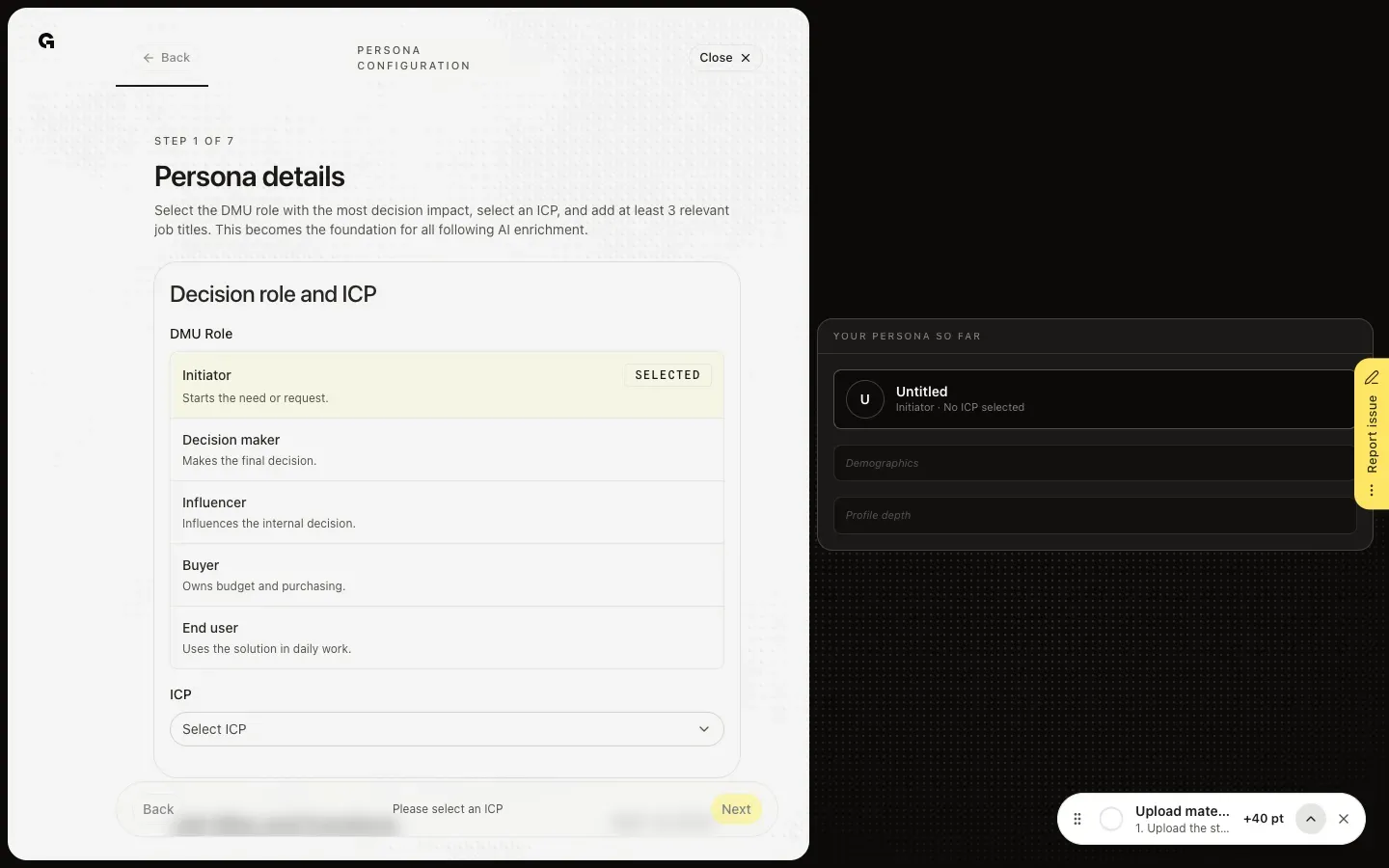
Choose New. Growf adds a persona named Untitled and opens Persona configuration, the setup in seven steps. The first step, Persona details, asks for the DMU role, an ICP and at least three job titles; Growf suggests the name later. Your persona so far, on the right, fills in as you go. Close takes you to the persona's overview, and the persona stays in the list as a Draft.
FAQ
Why is there no name field before I start?+
New does not open a form. It adds Untitled and opens the setup. In the second step, Extra details, Growf suggests a name that you can change, and you can rename the persona on its overview later.
I do not see New.+
New needs permission to create personas. Admin, Strategist and Creator have it by default; a Client does not see Personas at all. Ask an admin.
The setup says No published ICP yet.+
A persona belongs to a published ideal customer profile, and the workspace has none yet. Choose Go to ICPs, create or publish a profile, then come back to the persona. See **Create an ideal customer profile**.
I clicked New by mistake. How do I remove the persona?+
Choose Delete draft persona on its row in the list, or Delete on its overview. See **Delete a buyer persona**.