Connect an integration
Add a tool or knowledge source to the workspace so chat, signals, and sync can use it.
Integrations attach an outside account to this workspace. Anyone who can update the workspace and create content can add one. Chat can then use the toolkit. Knowledge sources can sync files. Supported toolkits can feed **Configure integration signals**.
3 steps · About 3 minutes
Open Integrations
In the sidebar, choose Settings, then Integrations. You need permission to update the workspace and create content. The page has two parts. Connected integrations lists accounts already added. Below that, the toolkit library lists tools you can connect. Capture already shows KB Analytics, KB HubSpot, and KB Fireflies in the table.
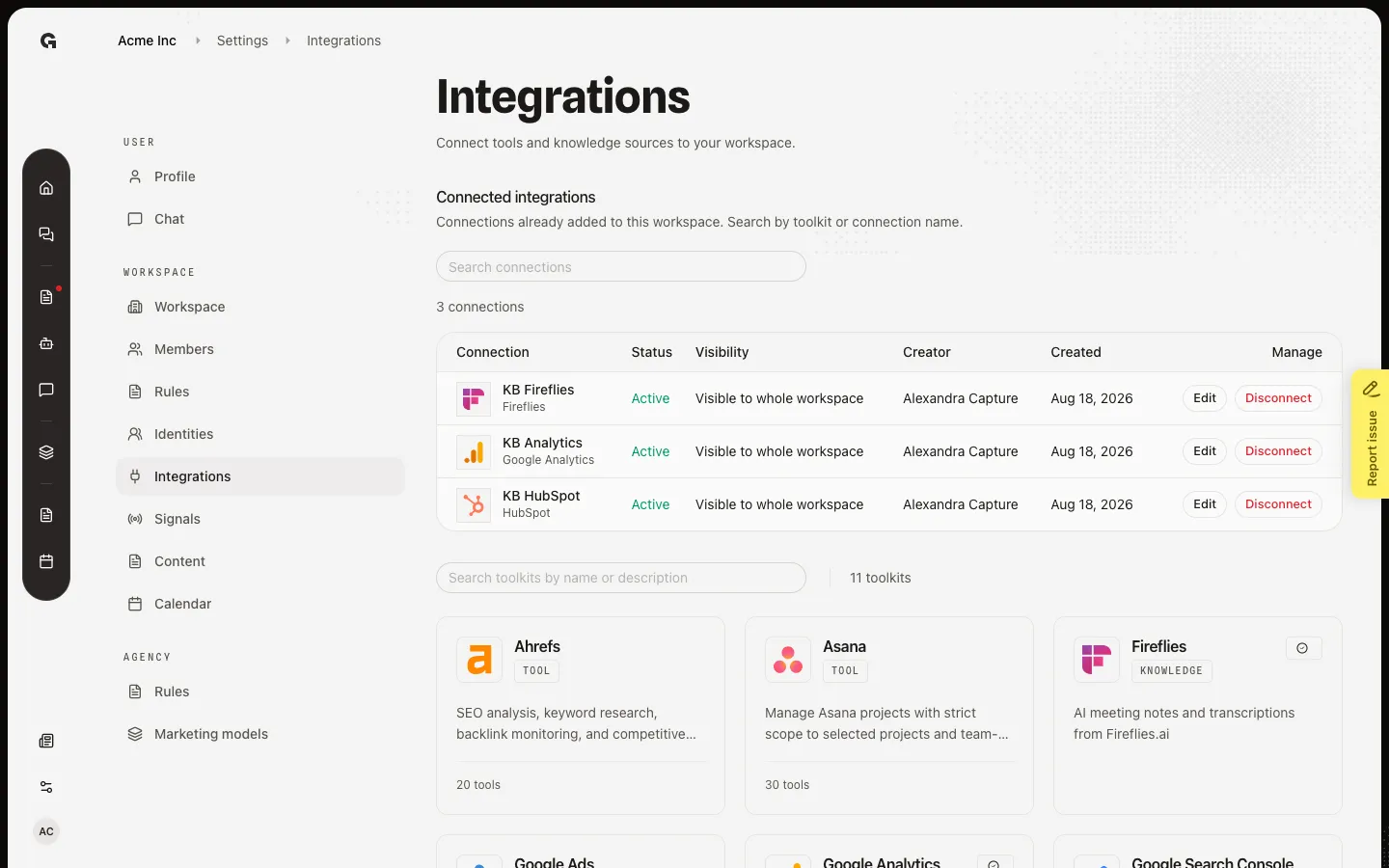
Search the toolkit library
Use Search toolkits by name or description, not Search connections. Type a toolkit name to shrink the grid. Cards show a Tool or Knowledge badge. Knowledge sources (such as Fireflies) sync transcripts. Tools (such as Asana or HubSpot) add actions in chat. A check on a card means that toolkit already has at least one connection.
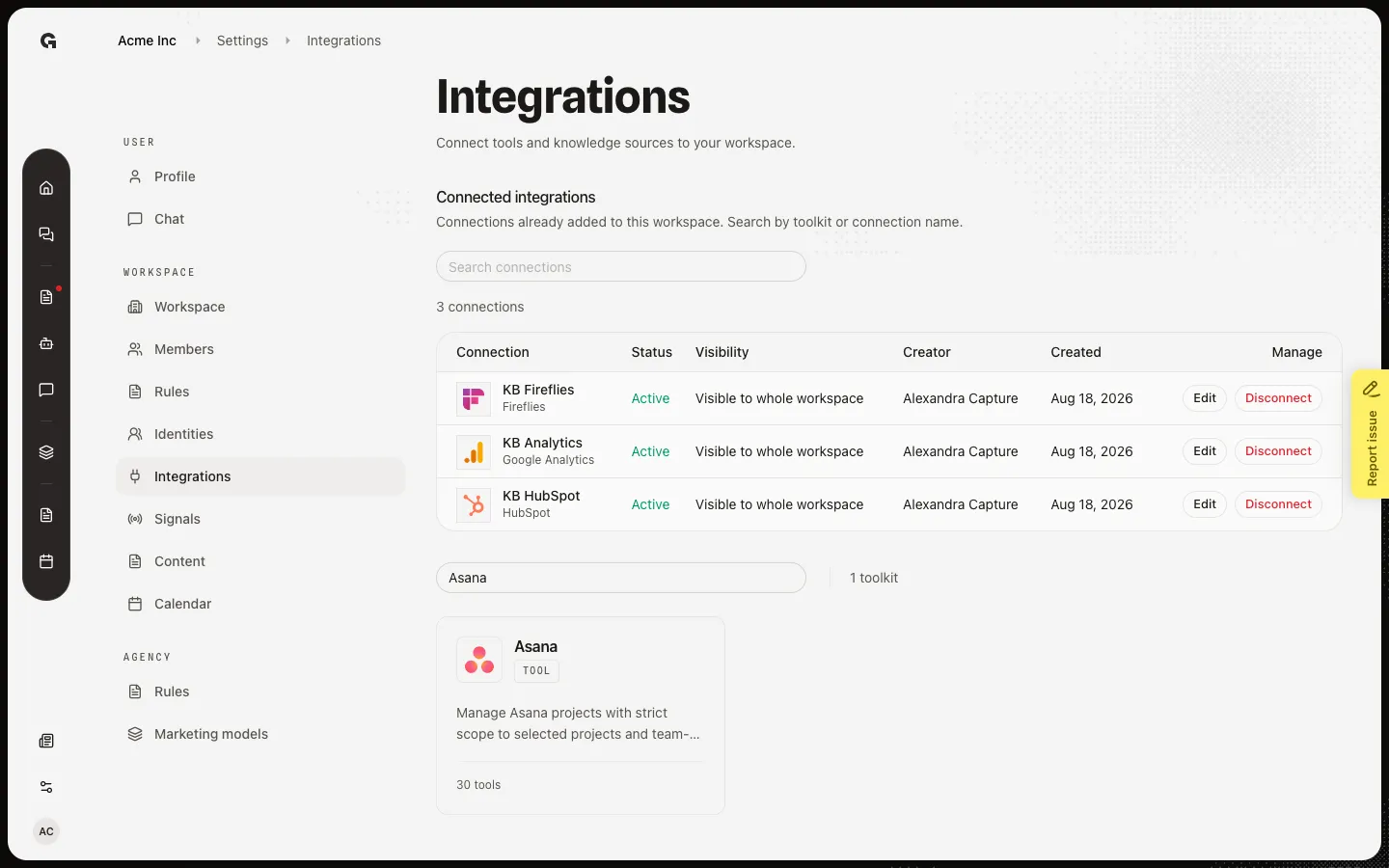
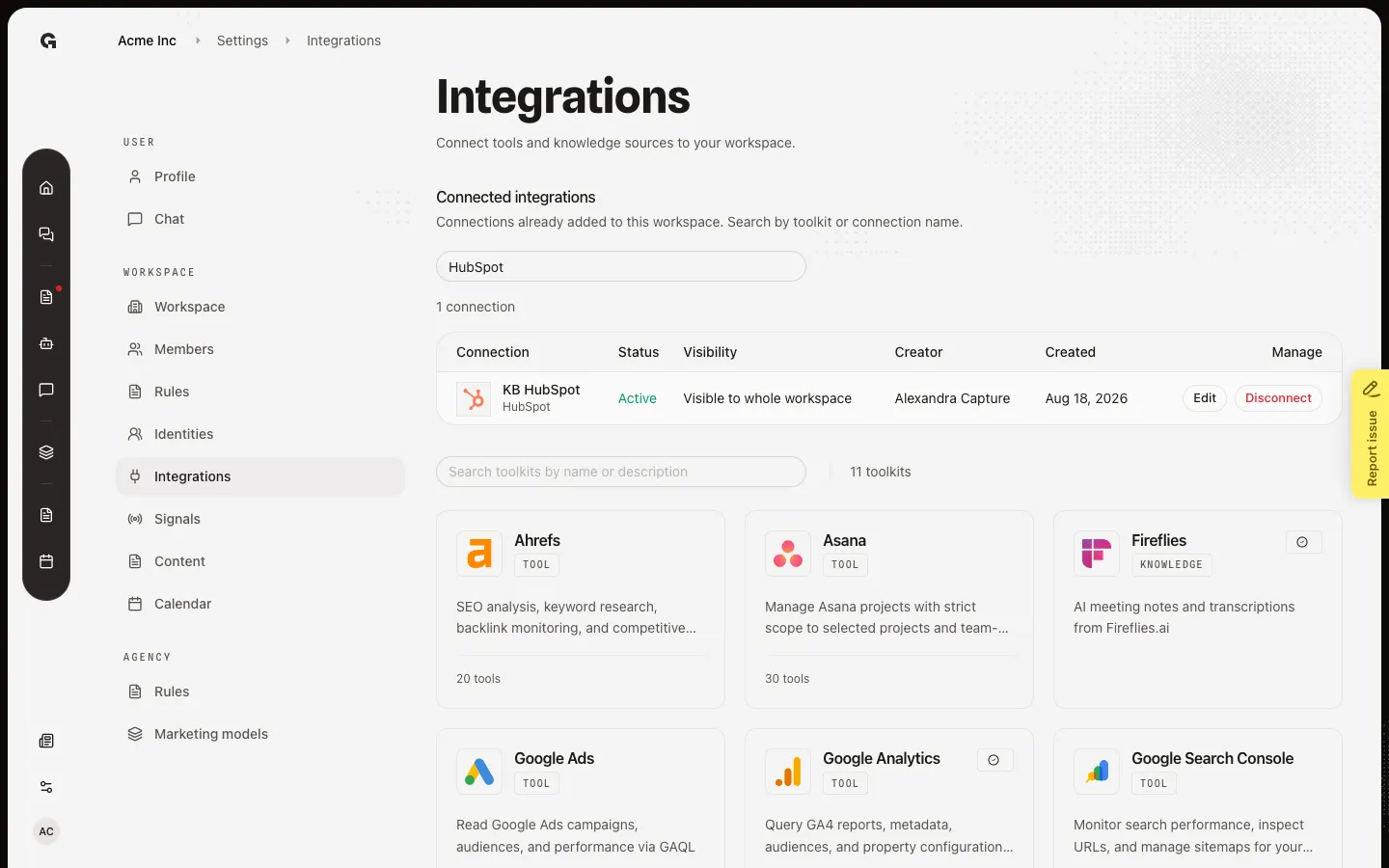
Find a connected row
After Connect succeeds, the account appears under Connected integrations. Search connections filters that table. Capture already has KB HubSpot. Choose Edit to name the connection and set who can use it in chat. For a new toolkit, click its card in the library, then Connect — OAuth toolkits send you to the provider. This walk uses a row that is already connected.
FAQ
Connect sent me to Google, Asana, or another site. Did something break?+
No. OAuth toolkits open the provider so you can sign in and allow Growf. Finish that screen, then return to Growf. If you cancel or the provider fails, Integrations can show Connection failed. Open the toolkit and connect again.
I do not see Integrations in Settings.+
Integrations is for people who can update the workspace and create content. Ask an admin to raise your role. Access denied on this page means the same thing.
Where do I connect LinkedIn, Instagram, or Facebook for posting?+
Those channels sit on a publishing identity, not on this library. See Connect a publishing channel. A /connect-integration link from an email is that identity invite, not this Settings page.
What should I do after a toolkit is connected?+
Name the connection and set who can use it in chat (Edit). For Fireflies and other knowledge sources, sync and review Incoming. For Analytics, HubSpot, Ads, or Search Console, add a signal detector so findings can appear on Home.