Connect a publishing channel
Link LinkedIn, Facebook, or Instagram to an identity, or disconnect a channel you no longer use.
A channel is a LinkedIn, Facebook, or Instagram account linked to one identity. Social posts and ads can only use connected accounts.
2 steps · About 2 minutes
Open Social platforms
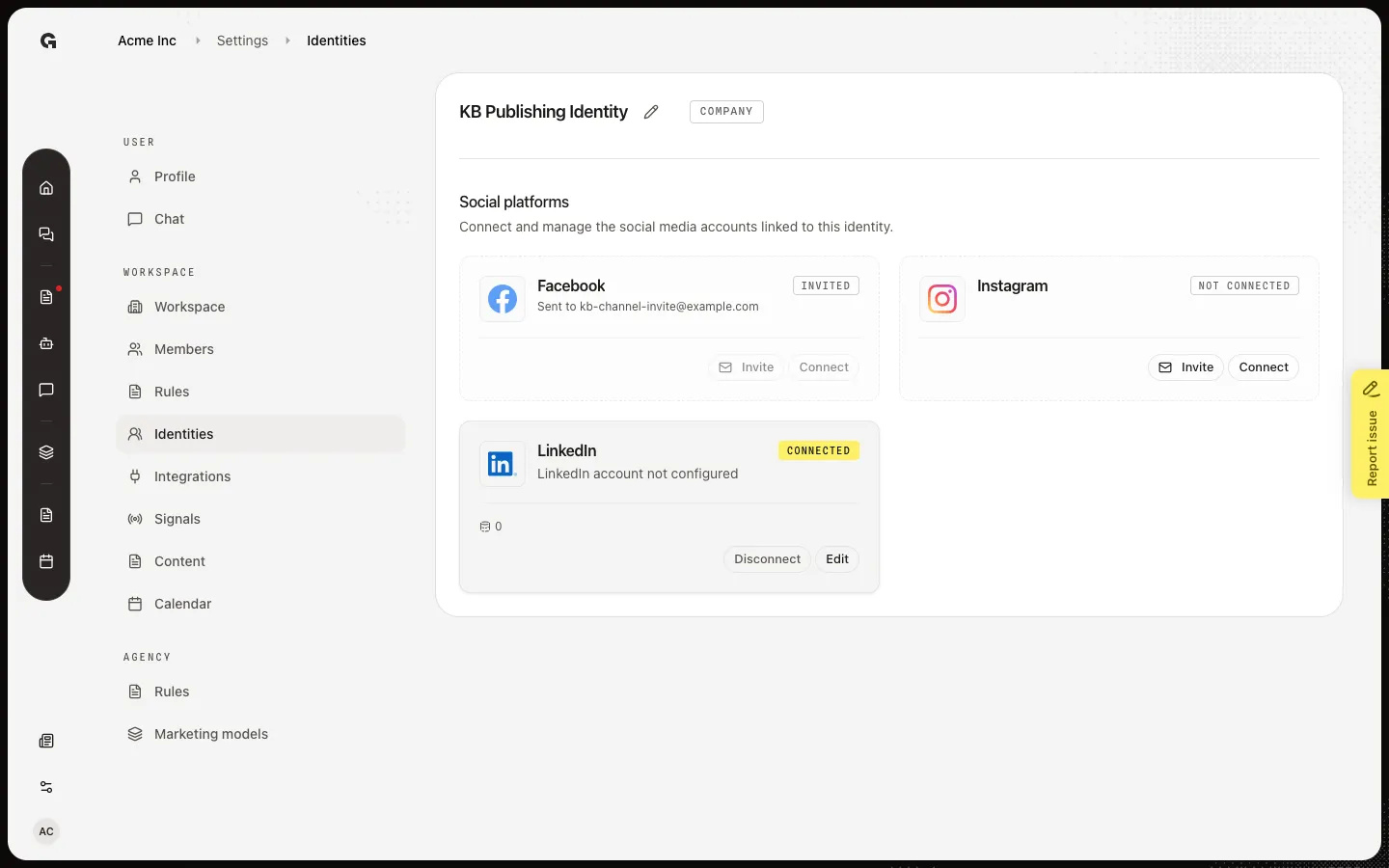
Open an identity. Social platforms lists LinkedIn, Facebook, and Instagram. Not connected means you can Connect (you sign in) or Invite (someone else signs in). Connected shows the account, a post count, and sync status. Needs reconnect means the login expired — use Reconnect. Capture seed connects LinkedIn on KB Publishing Identity and leaves Instagram free.
Review Disconnect
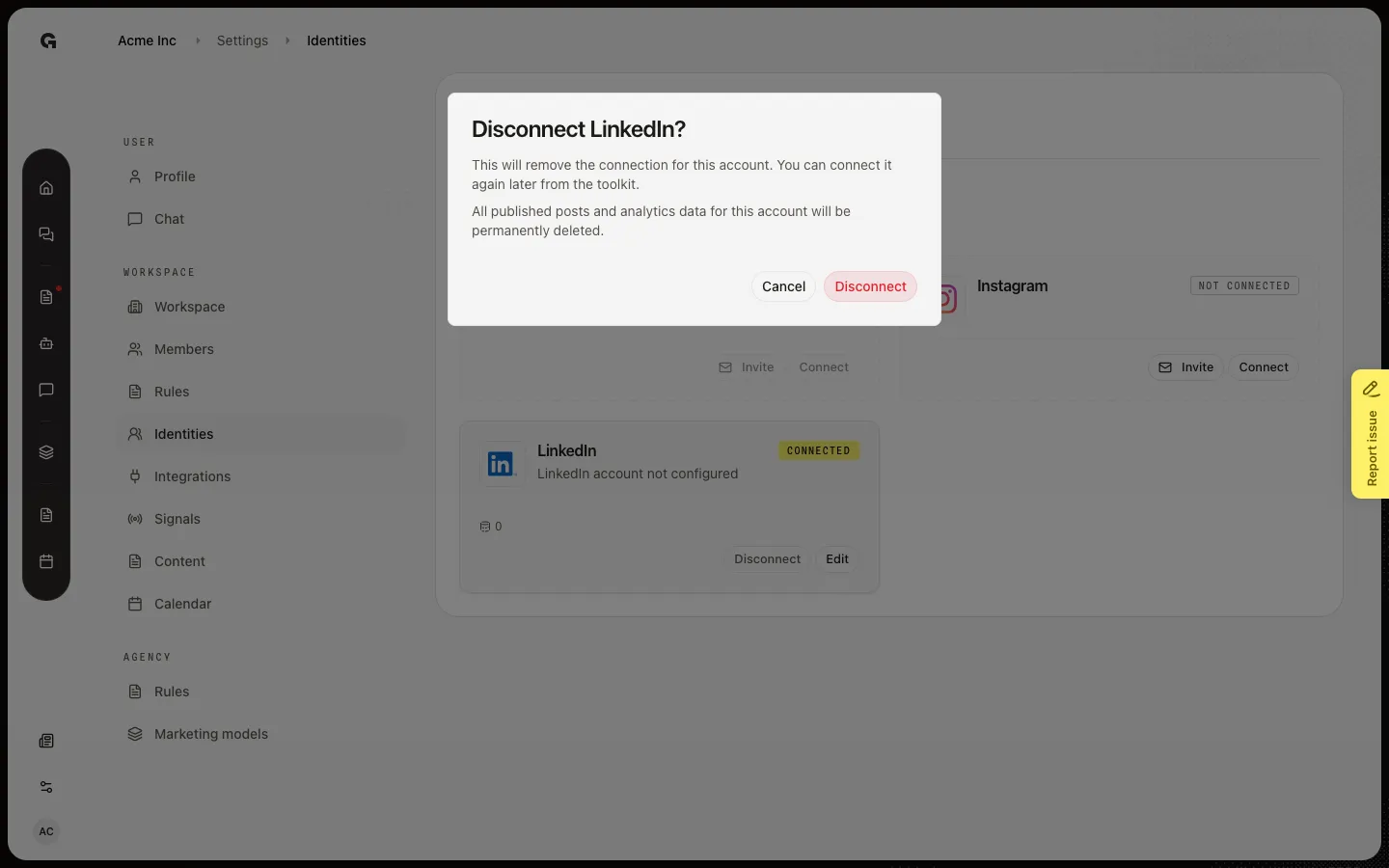
On a Connected card, Disconnect asks Disconnect {name}? Removing the connection deletes published posts and analytics for that account. You can Connect again later. Edit opens the connection settings (page or author). Do not choose Connect in capture — it leaves Growf for the network login.
FAQ
What happens when I choose Connect?+
Growf starts the network login (OAuth). You leave this page, sign in, and return to the identity. Connect stays off while an invite is pending for that platform.
The card says Needs reconnect.+
The saved login no longer works. Choose Reconnect and sign in again. Disconnect and Edit are hidden until the login is valid.
LinkedIn or Facebook says the account is not configured.+
The login exists but the page or author is not chosen. Choose Edit and pick the Facebook page or LinkedIn personal vs organization account.
Should I Connect or Invite?+
Connect if you can sign in to the account. Invite if a client or teammate owns the login and they do not need a Growf user. See Invite someone to connect an identity channel.