Configure agency usage alerts
Email agency admins when the shared pool or a workspace cap reaches a percentage this billing period.
Usage alerts email you when credit use hits a percentage of the shared pool or of a workspace cap. Agency owners and admins set them so someone sees a limit before work is blocked.
3 steps · About 3 minutes
Open Usage
Choose Usage. Usage alerts is the bell on the top right. That button opens the shared pool first. A workspace row also has Usage alert after you set a cap. Without a cap, that row button stays off.
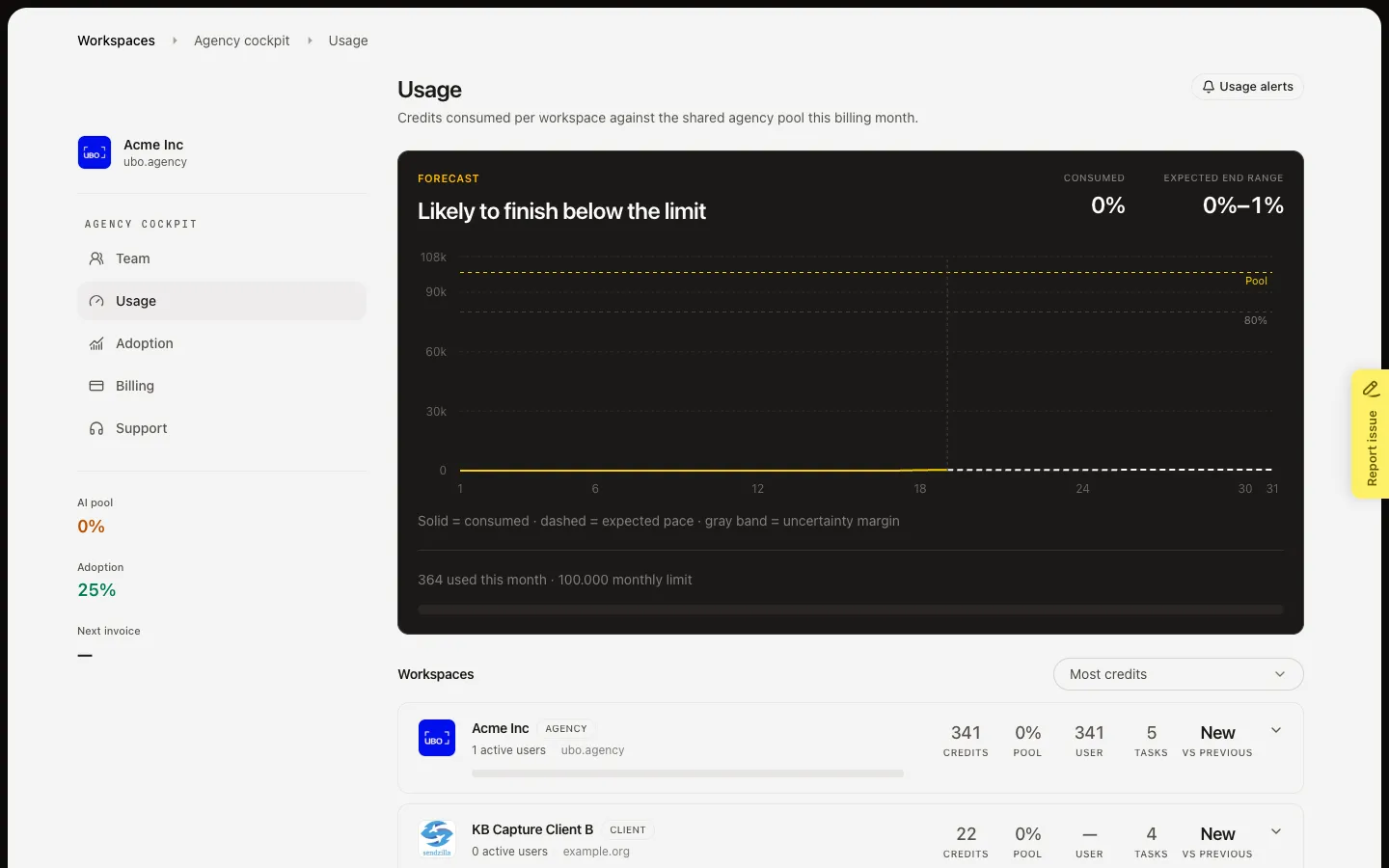
Open Usage alerts
Choose Usage alerts. The left list is the agency pool, then each workspace. The right side shows current usage and the limit. You get one email per billing period when usage hits the threshold. You are always the alert owner and a recipient.
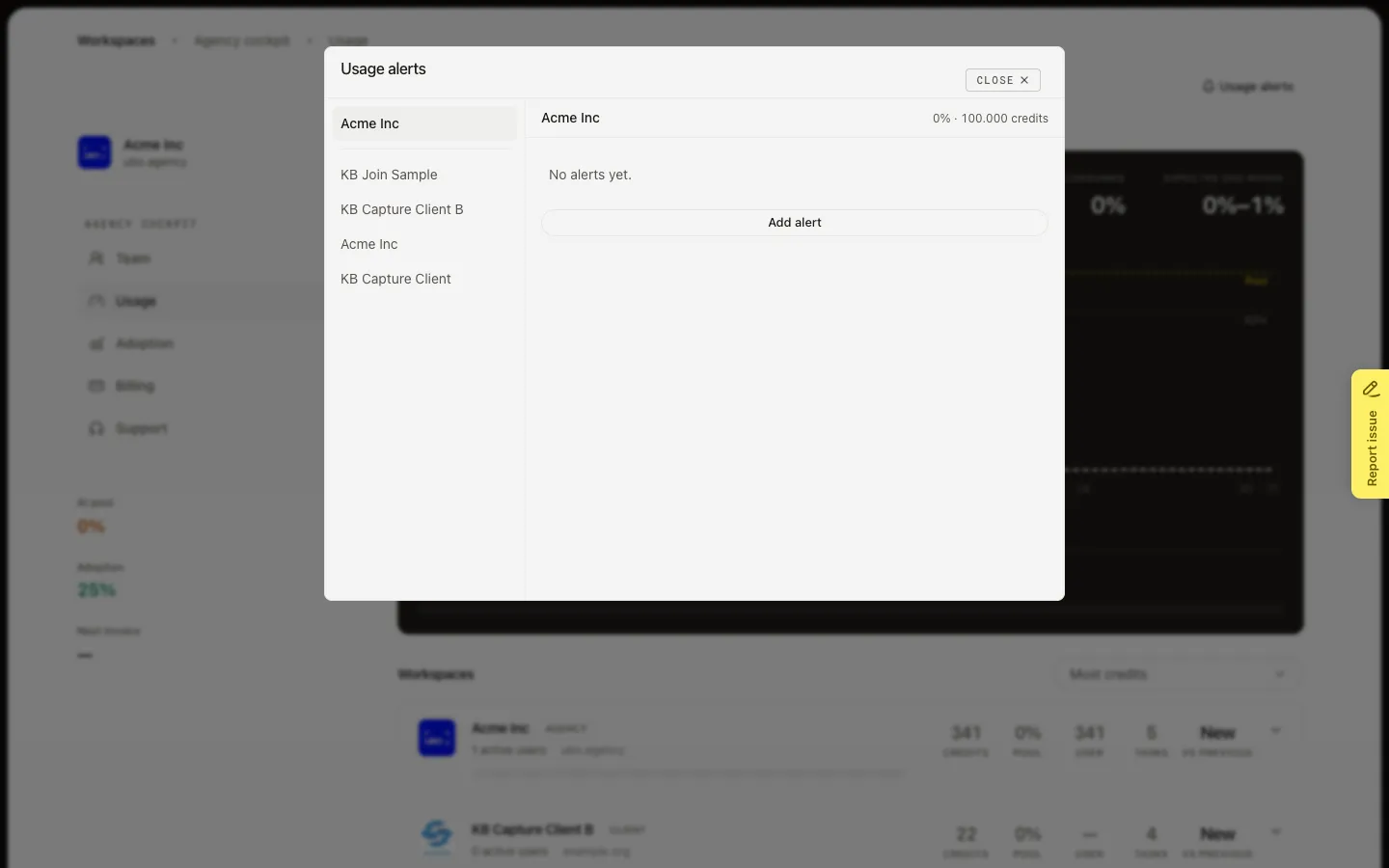
Add an alert or open a workspace
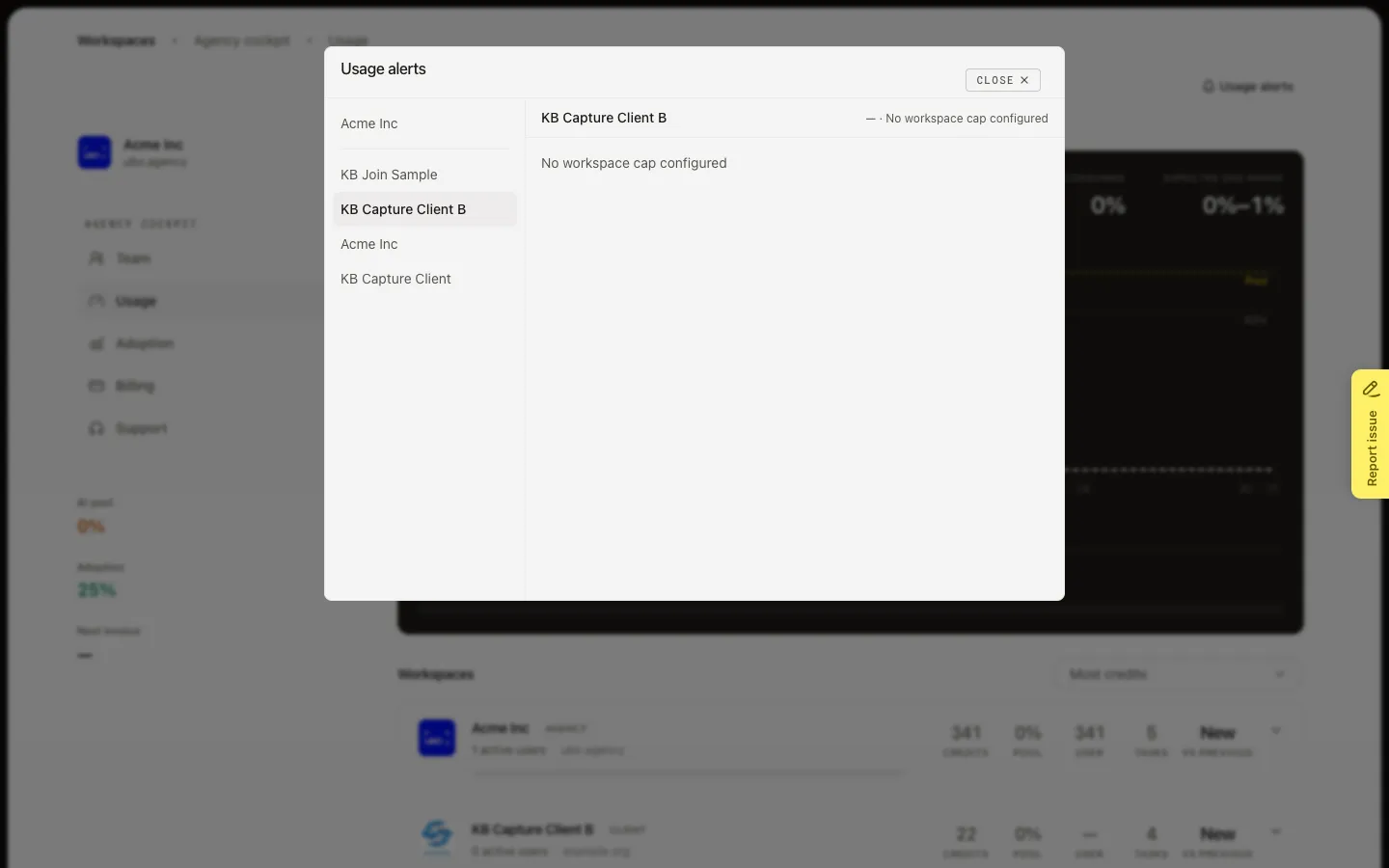
On the pool, choose Add alert when a monthly pool limit exists. Alert at (%) defaults to 80. Additional recipients are extra agency people; you stay on the mail. Save alert stores it. If the pool has no limit, Growf shows that you must set a pool limit first. A workspace without a cap shows the same block — set the cap, then come back.
FAQ
Should I alert on the pool or on a workspace?+
Use the pool when the whole agency is near the monthly limit. Use a workspace when one client has a cap you do not want them to hit by surprise. A workspace alert needs a cap. A pool alert needs a monthly pool limit.
Why is an alert Paused?+
Growf pauses when the pool has no limit, the workspace has no cap, or the owner is no longer an agency admin. Transfer ownership to another agency admin if the owner left.
We already got mail this month. Will it send again?+
No. Each threshold sends once per billing period. Sent marks that threshold. Add a higher percentage if you want a second warning.
Who receives the email?+
The alert owner always does. Additional recipients are extra. Only eligible agency people can be added.