Configure a buyer persona
Open a New persona and complete the wizard: decision role, ICP, job titles, then the later profile steps.
Configure is the wizard that turns Untitled into a usable buyer role. Later AI steps need the first step: who decides, which ICP, and which jobs.
3 steps · About 3 minutes
Open Configure
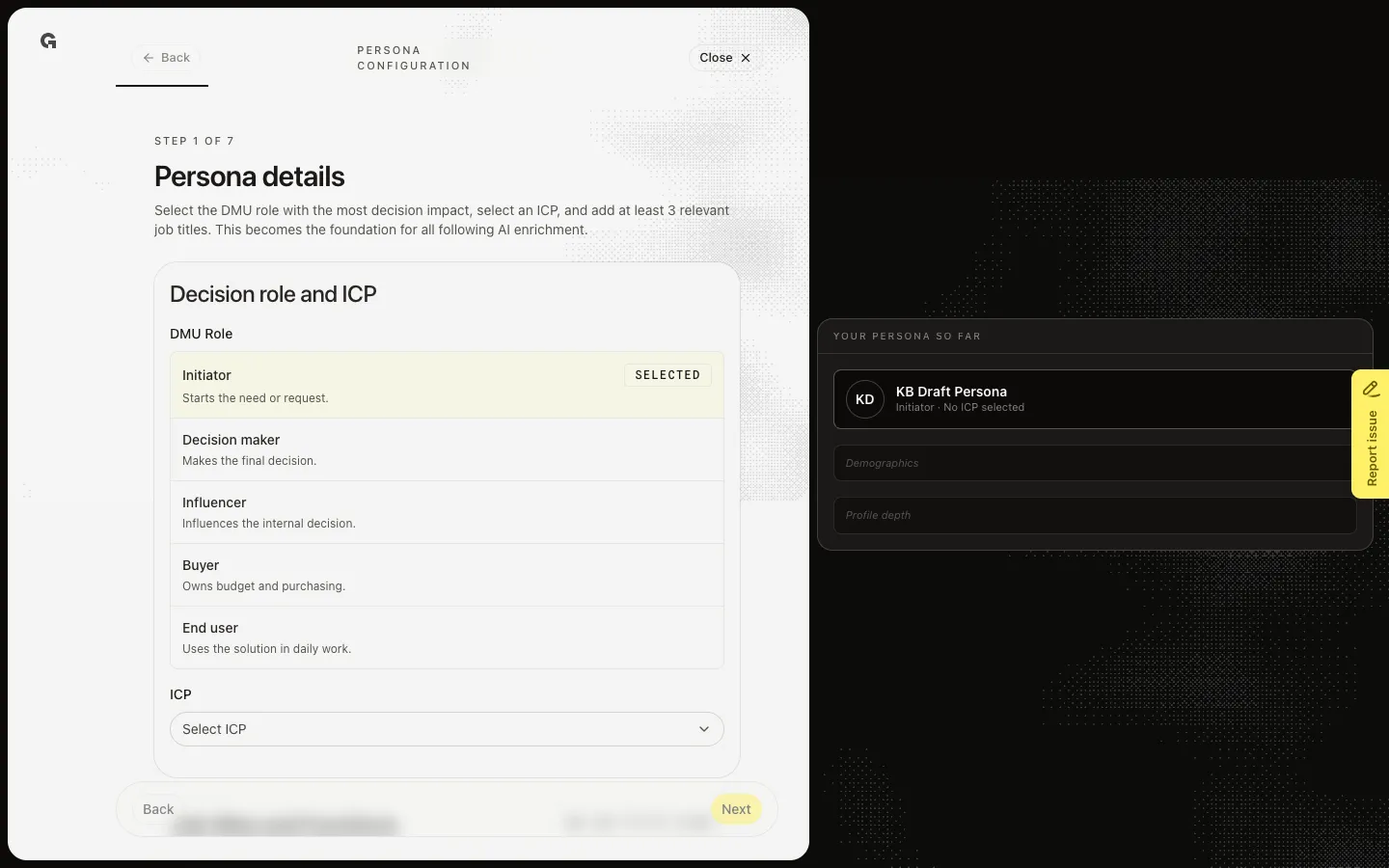
On Personas, choose a New name such as KB Draft Persona. That opens the fullscreen wizard. The bar reads Persona configuration. Step 1 is Persona details. You can also land here after New. Close returns you to the overview or list without publishing.
Pick the decision role
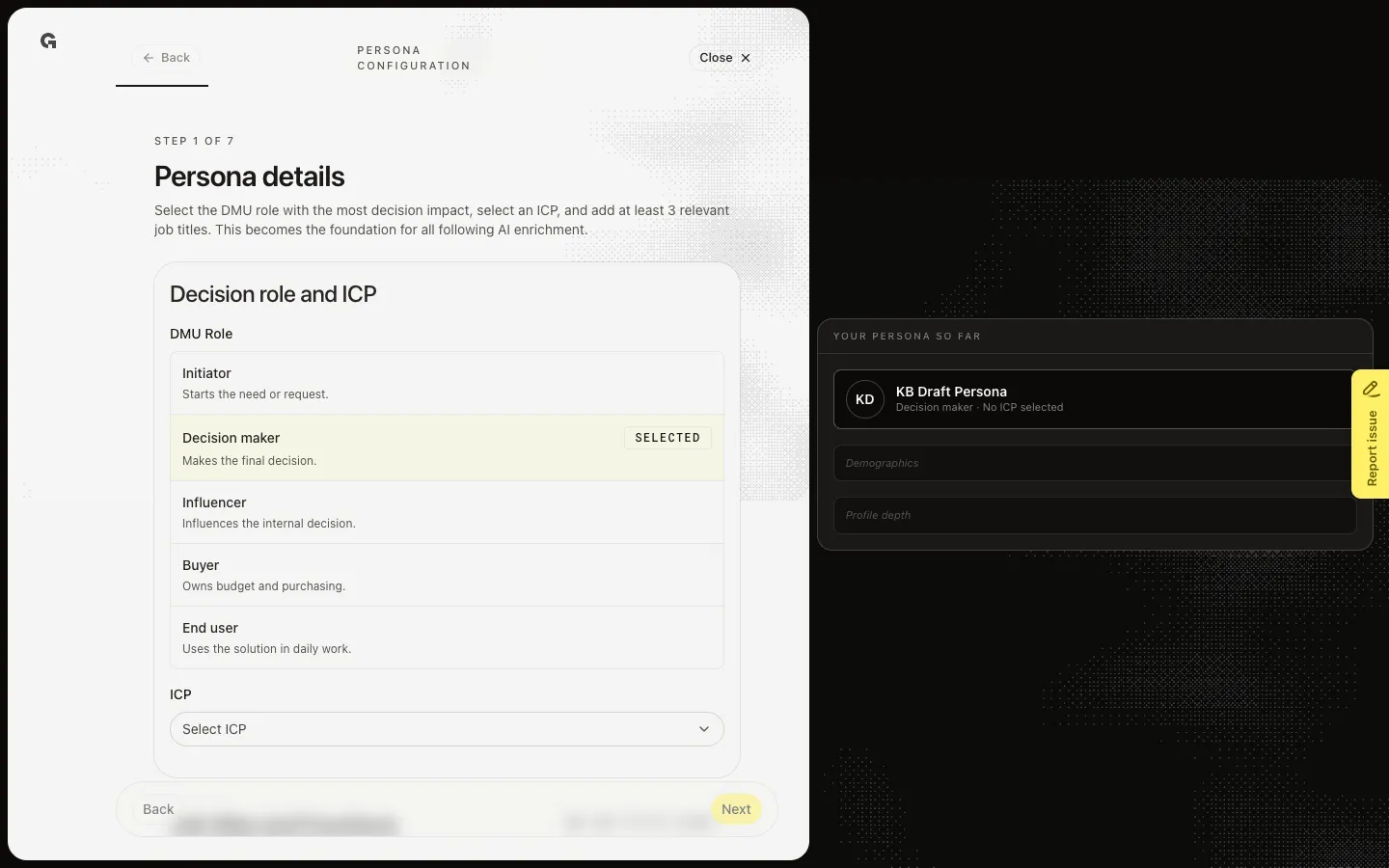
Under Decision role and ICP, choose the DMU role that mostly decides whether the purchase moves forward: Initiator, Decision maker, Influencer, Buyer, or End user. Selected marks the current choice. Then pick an ICP such as KB Capture ICP. Without an ICP, Next fails.
Add at least three job titles
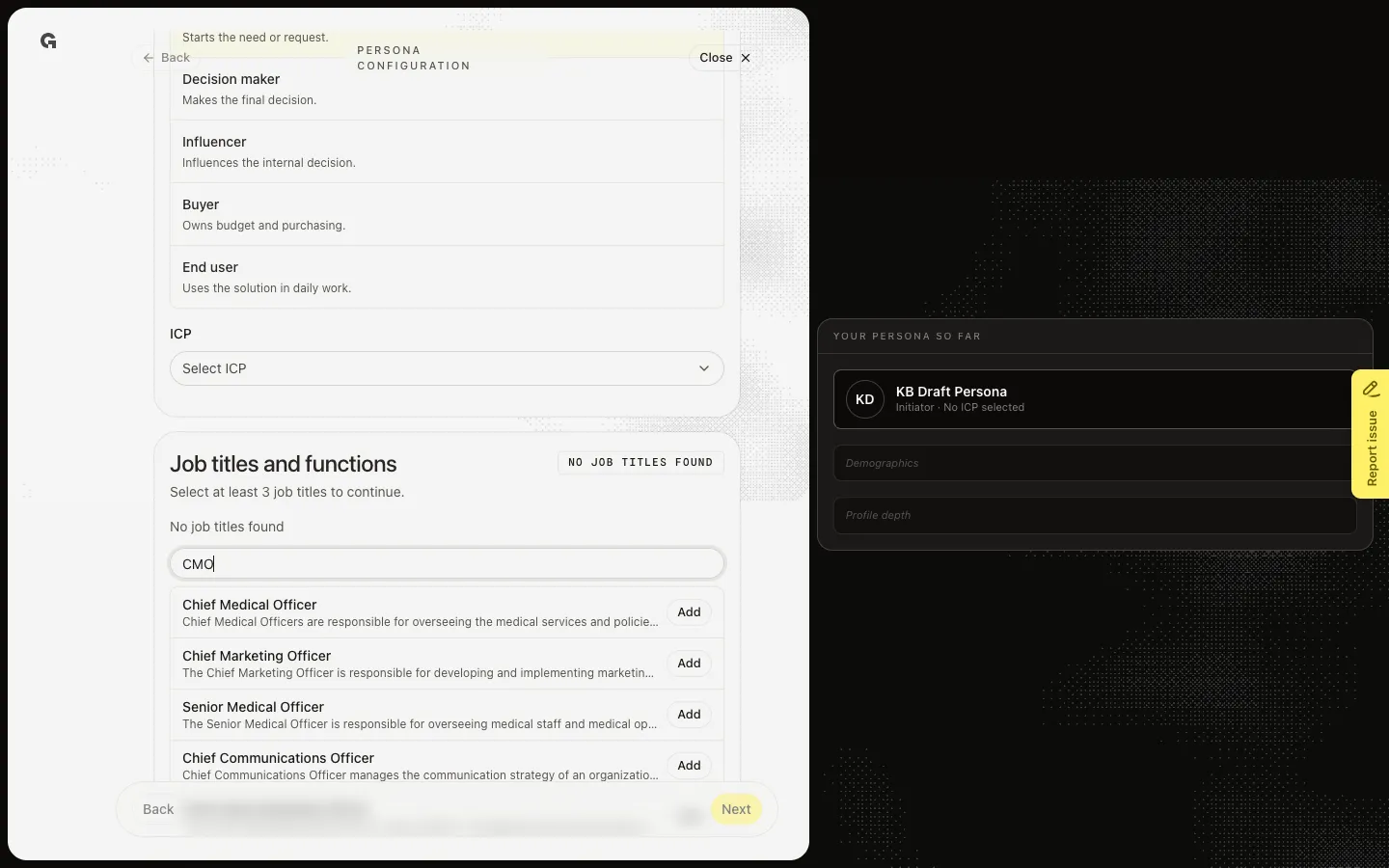
Job titles and functions is the other card. Search and add at least three titles. Next stays blocked until you have a DMU role, an ICP, and three titles. Later steps (Extra details, Activities, Pains and benefits, Goals, Value propositions) start AI jobs. Do not click Next through those during capture. Finish and open overview on the last step publishes the persona.
FAQ
The ICP picker is empty.+
Create and publish an ideal customer profile first. Personas need an ICP so later steps can use that product. See Create an ideal customer profile.
Next is on but I am not ready for AI steps.+
Step 1 only saves the role, ICP, and titles. The next steps generate name, tone, activities, and more. If you are not ready, Close and return later. Do not click Next just to look — generation starts.
I cannot open Configure.+
You need persona update. New still needs persona create. Ask an admin.