Choose a chat model
Pick Claude, Gemini, or OpenAI for the next reply in this conversation.
Select provider picks which AI family writes the next reply: Claude, Gemini, or OpenAI. Anyone using the composer can change it for that conversation.
2 steps · About 2 minutes
Find Select provider
Open a conversation. Select provider sits on the left of the composer footer, next to Knowledge and Files. The button shows the current provider — Claude, Gemini, or OpenAI. New chats use your default from Chat settings until you change it here.
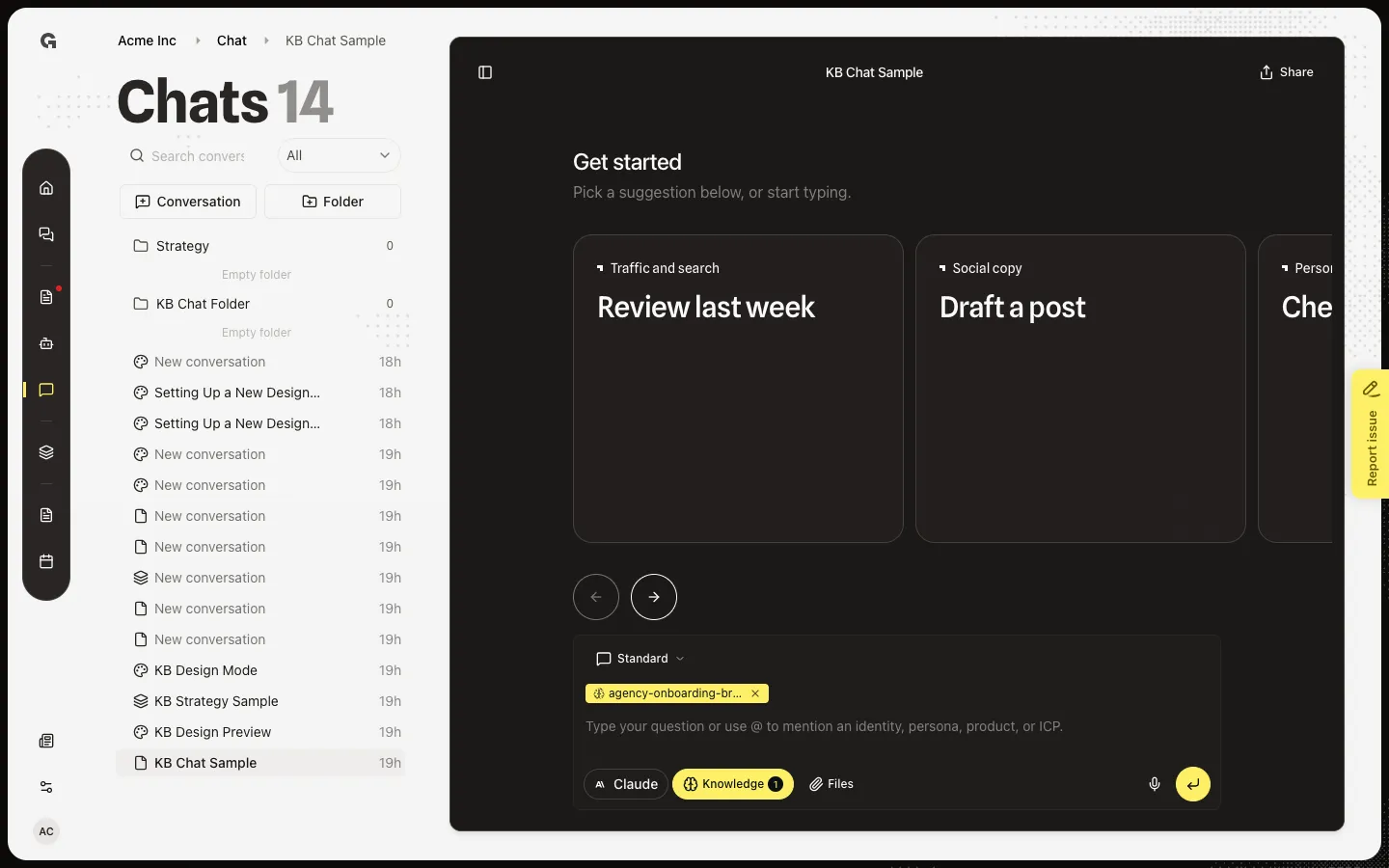
Open Select provider
Open the list. Choose Claude, Gemini, or OpenAI. The next send uses that provider. The choice stays on this conversation while you work. Your workspace default still applies to new chats — change that in Manage chat settings.
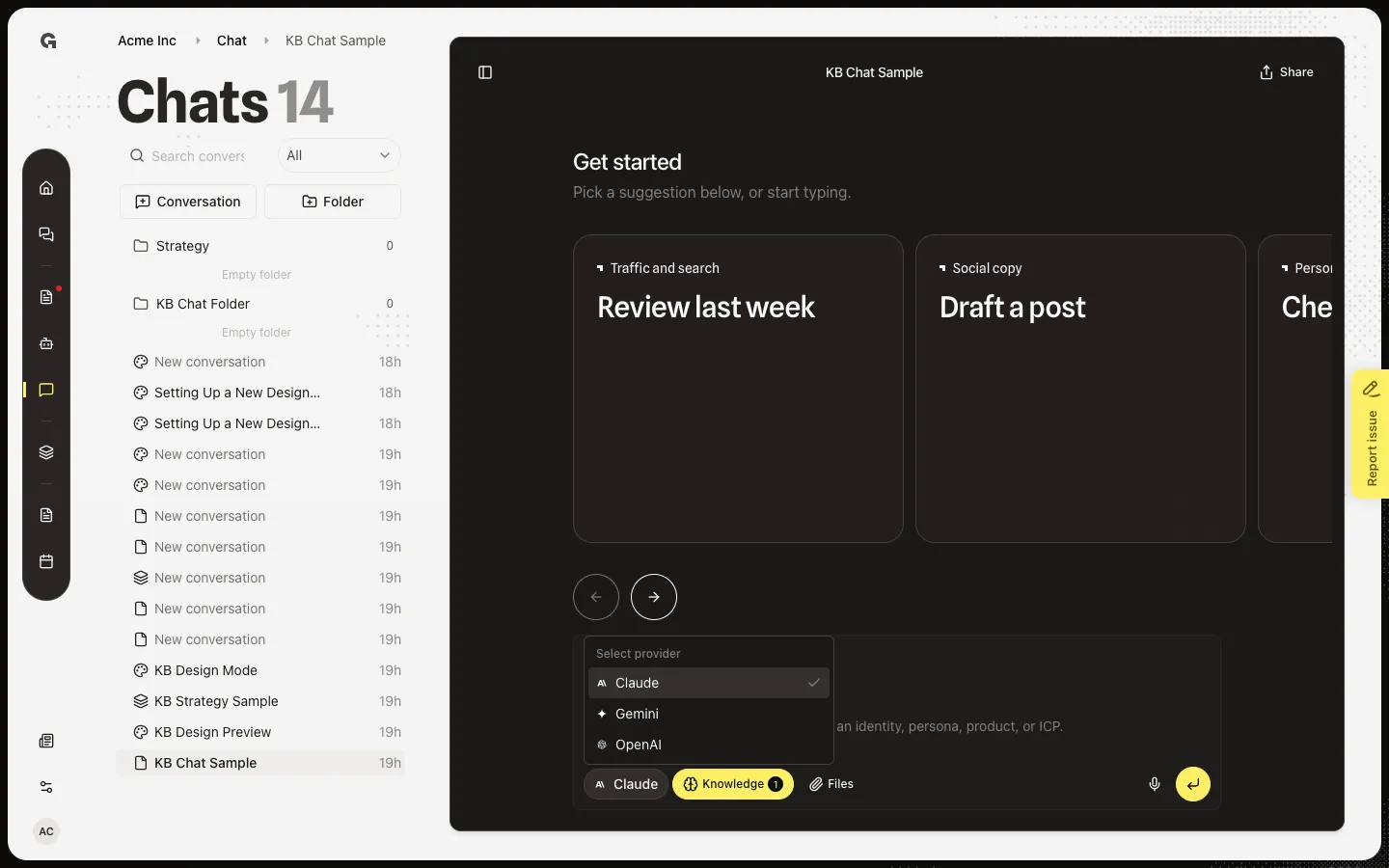
FAQ
Does this change every chat?+
No. This control is for the open conversation. The default for new chats is Default provider on Chat settings. See Manage chat settings.
Which provider should I pick?+
Use the one that fits the task. Claude is the workspace default. Switch if a reply style or a tool works better on Gemini or OpenAI. You can change it again before the next send.
Why is Select provider grey?+
The composer is busy or the thread is not ready. Wait for the current reply to finish, then open the list again.