Choose a chat mode
Switch a conversation between Standard, Design mode, and Strategy mode from the composer.
Chat mode sets what a conversation is for: Standard chat, Design Mode, or Strategy Mode. Anyone who can update chat can switch it.
2 steps · About 2 minutes
Find Chat mode
Open a conversation. Chat mode sits on the left of the composer header. The label is Standard, Design mode, or Strategy mode — the type saved on this thread. New chats from New chat or Conversation start as Standard.
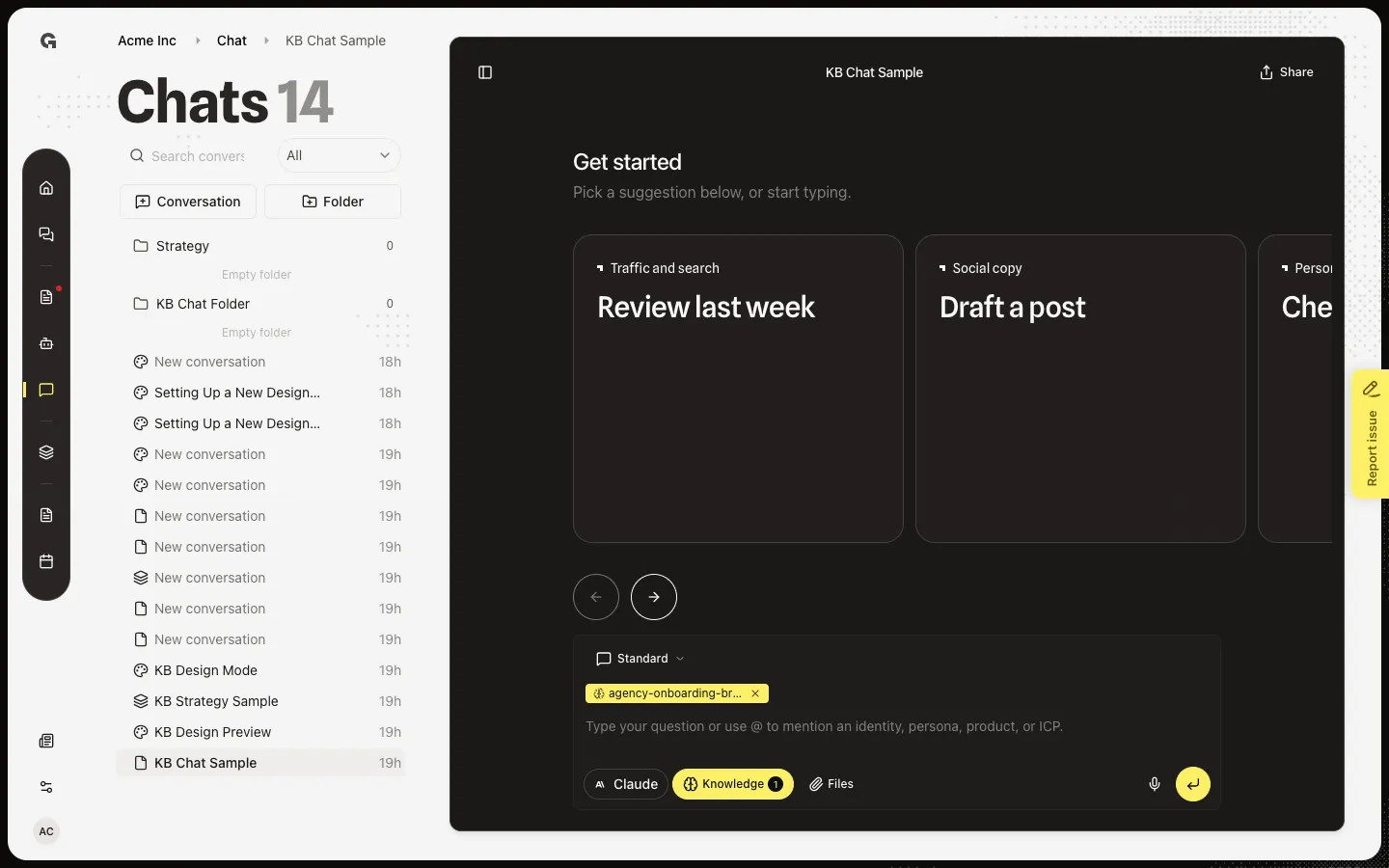
Open Chat mode
Open the menu. Standard is general chat with workspace tools. Design mode is for visual designs. Strategy mode is for marketing strategy models. Choosing a row saves the type on this conversation and changes the composer. List icons change to match: file for Standard, palette for Design, layers for Strategy.
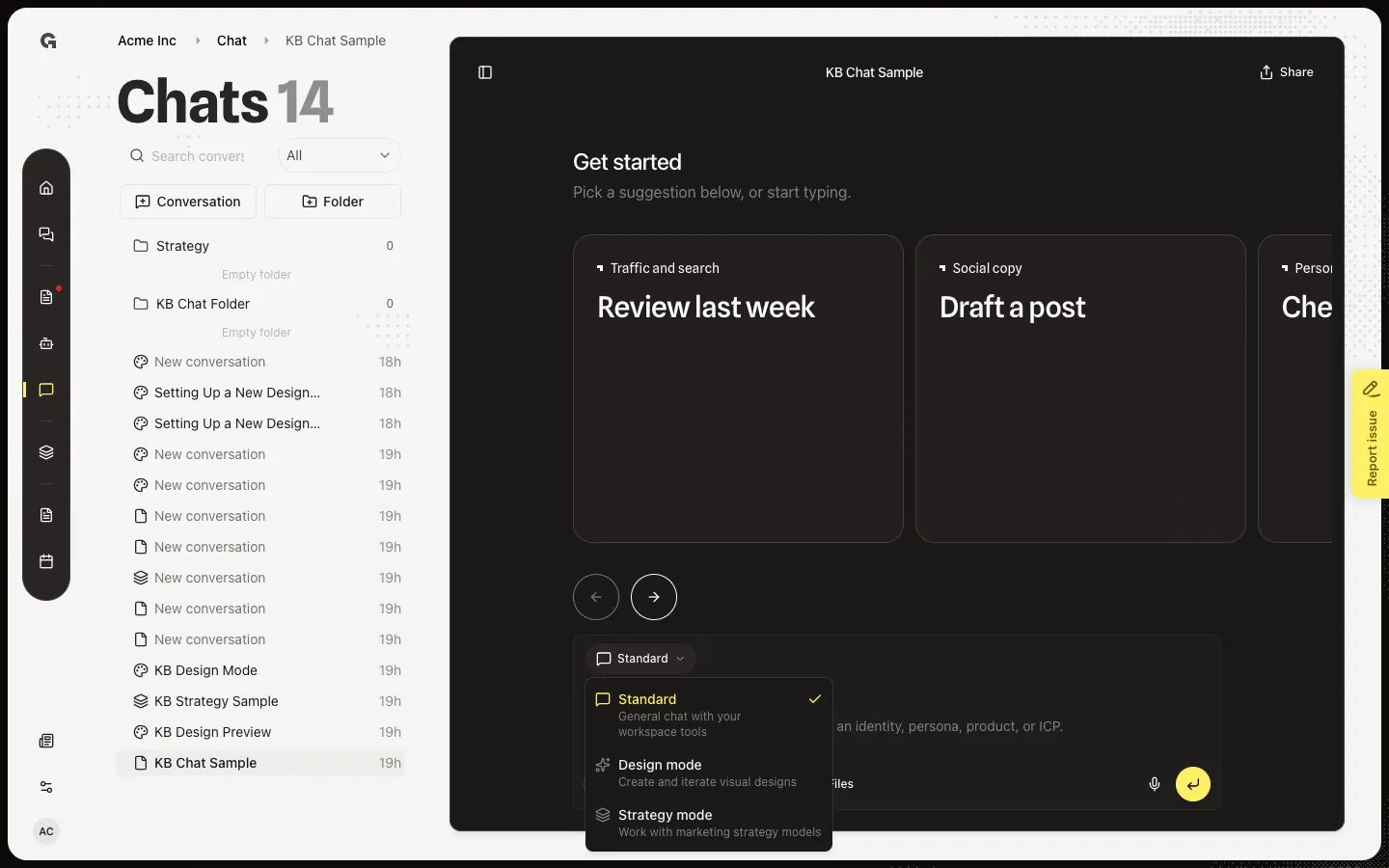
FAQ
When should I leave Standard?+
Stay on Standard for questions, files, knowledge, mentions, and custom agents. Switch to Design mode to create or edit visuals — see Use Design Mode. Switch to Strategy mode to work on marketing models — see Use Strategy Mode.
Does the mode stay if I leave and come back?+
Yes. The choice is saved on the conversation. Opening the thread again keeps that mode. Switching again overwrites it.
Growf asked me to move the chat to Strategy. Why?+
After some Standard replies that look like strategy work, Growf can suggest the system Strategy folder. Move to Strategy unlocks strategy tools. Not now leaves the thread where it is. See Organize chats in folders and Move a conversation.
I see Couldn't switch chat mode.+
The update failed. Try again. You need permission to update chat.