Chat in a workspace
Open Chat, start or reopen a conversation, and type a message without leaving the workspace.
Chat is the workspace thread for questions, mentions, files, and agents. Anyone who can read chat can open it. You land here from Chat in the sidebar, from Start chat on Home, or from a conversation link.
3 steps · About 3 minutes
Open Chat
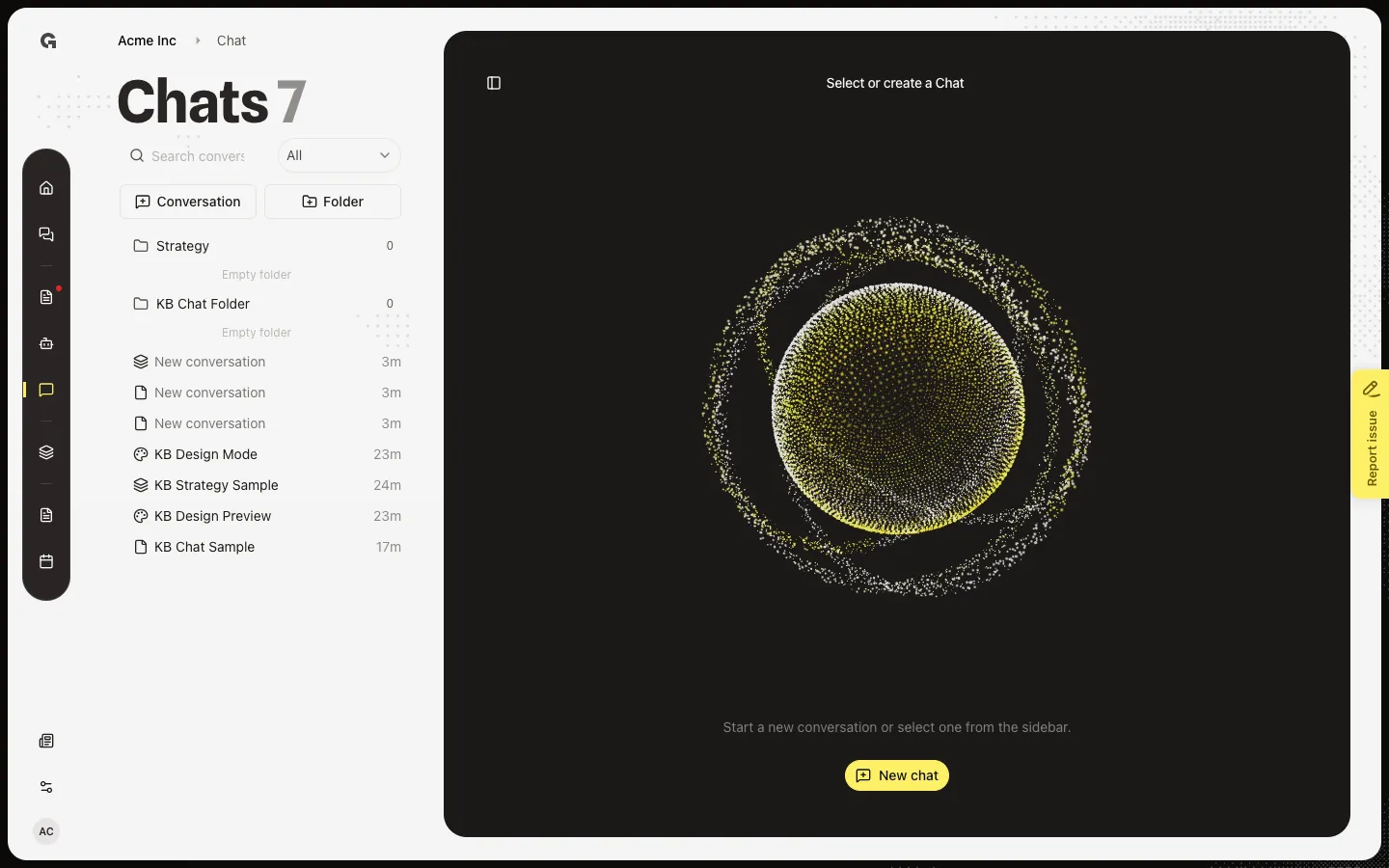
In the workspace sidebar, choose Chat. The page title is Select or create a Chat. The line under it says Start a new conversation or select one from the sidebar. The left panel is titled Chats. Search, All / Mine / Archived, Conversation, and Folder sit at the top of that list. New chat on the empty card starts a Standard conversation and opens it. Conversation in the list does the same. You need permission to create chat. Anyone who can read chat can open an existing thread.
Open a conversation
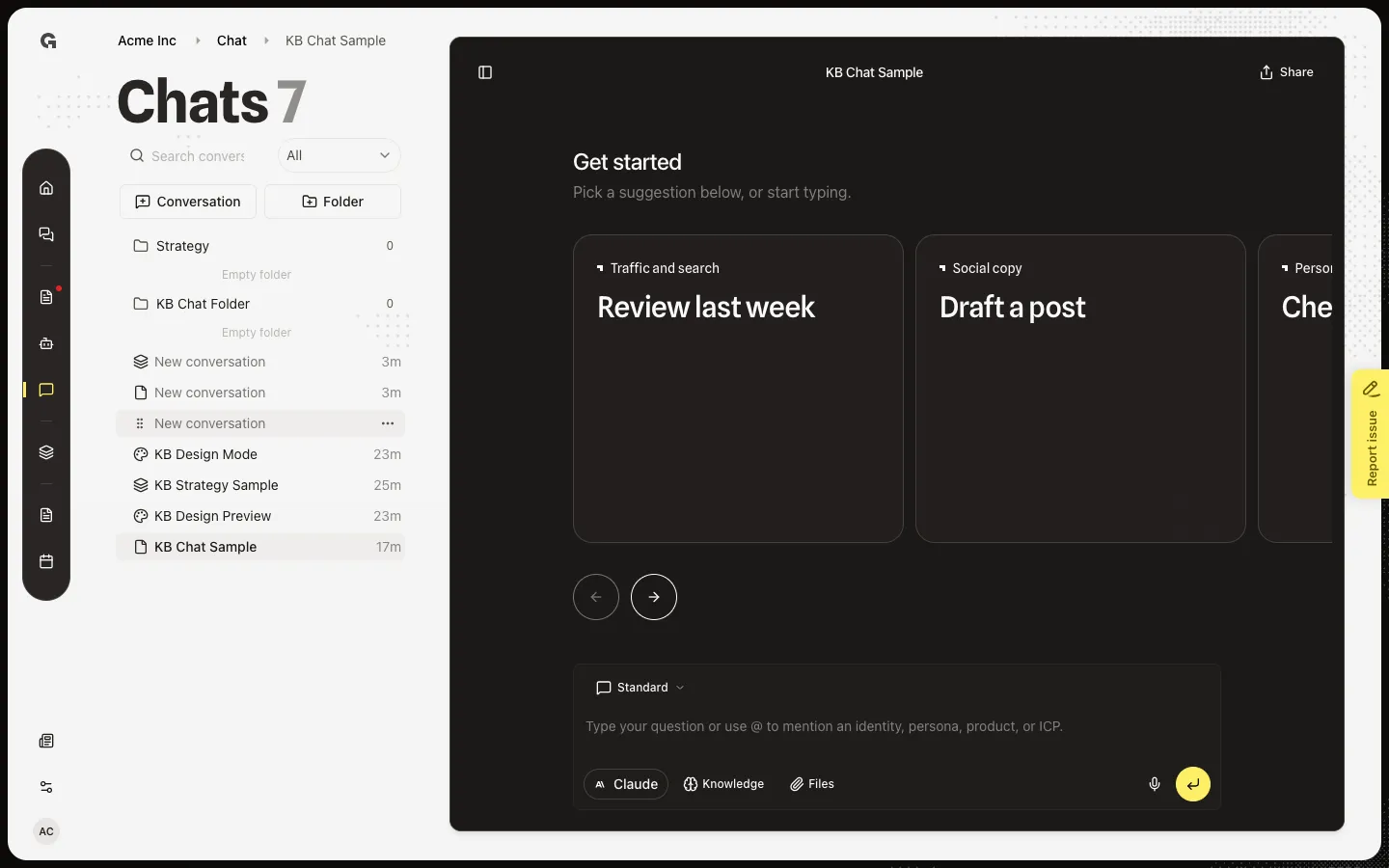
Choose KB Chat Sample in the list. The thread opens with that name in the header. Share and the composer sit on the right. An empty Standard chat shows Get started and suggestion cards when Growf has prompts for you. Design Mode and Strategy Mode chats look different — see Use Design Mode and Use Strategy Mode.
Type a message
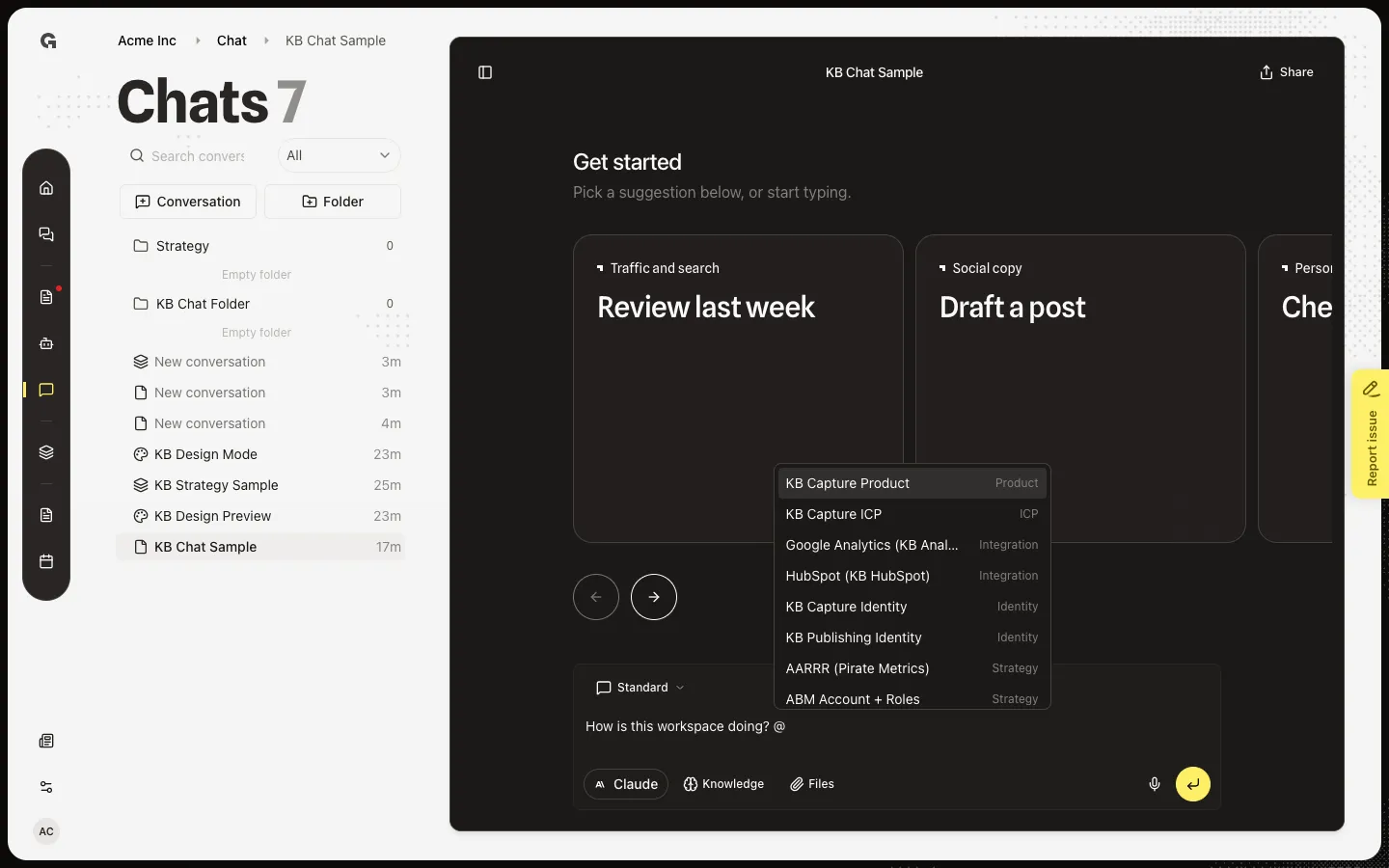
Click the composer. The placeholder says Type your question or use @ to mention an identity, persona, product, or ICP. Type your question. Submit or Enter posts it. Shift+Enter adds a line. Do not send from this how-to — sending starts a live reply. Files, Knowledge, @ mentions, Dictate, Chat mode, and the provider live on the same composer. Each has its own how-to. Home also has Start chat, which opens a new thread and sends in one step.
FAQ
Who can start or open a chat?+
Anyone in the workspace who can read chat can open the list. Starting a new conversation needs permission to create chat. Rename, archive, and move need permission to update chat. Delete needs permission to delete chat.
What is the difference between New chat and Conversation?+
Both start a Standard conversation and open it. New chat sits on the empty Chat page. Conversation sits at the top of the Chats list next to Folder. Home Start chat also creates a thread, then sends the text you typed.
I opened a chat and see Get started. Is that wrong?+
No. An empty Standard chat shows suggestion cards when Growf has prompts for you. See Use a chat suggestion. If there are no cards, the hint says Start typing to begin.
Where do Design Mode and Strategy Mode fit?+
Chat mode on the composer switches Standard, Design mode, and Strategy mode. See Choose a chat mode, then Use Design Mode or Use Strategy Mode. Composer tools, folders, search, share, and chat settings have their own how-tos.