Browse custom agents
Open Agents to find workspace agents, switch Cards or List, search, filter, and favorite.
Agents is the list of custom AI agents in this workspace. Anyone who can read agents can open it. People who can create agents also see New.
4 steps · About 3 minutes
Open Agents
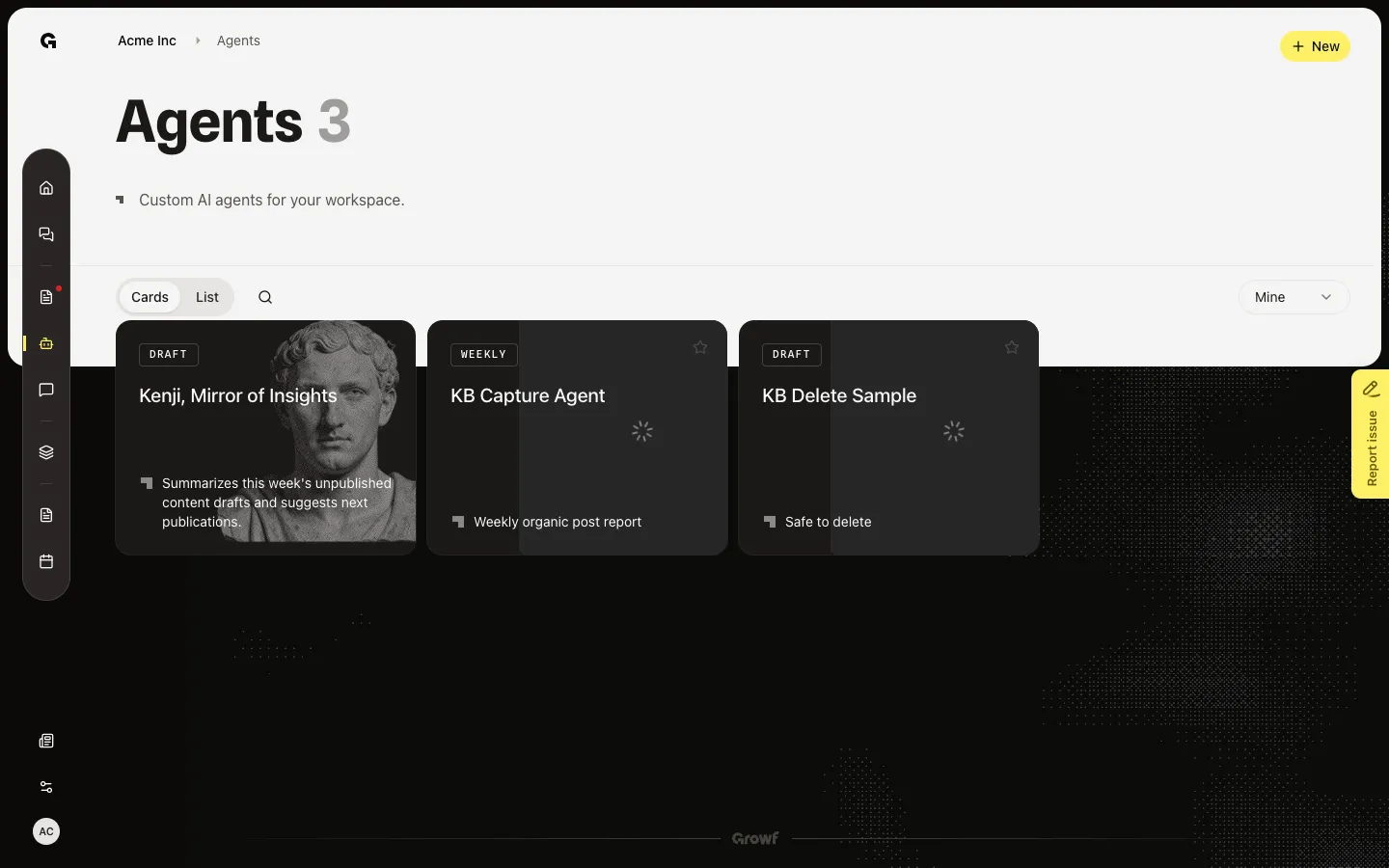
Choose Agents in the workspace sidebar. The page lists custom agents in this workspace. Cards is the default. Each card shows Draft or Active, or the schedule if one is set, plus the name and tagline. This seed workspace includes **KB Capture Agent** and **KB Delete Sample**.
Switch to List
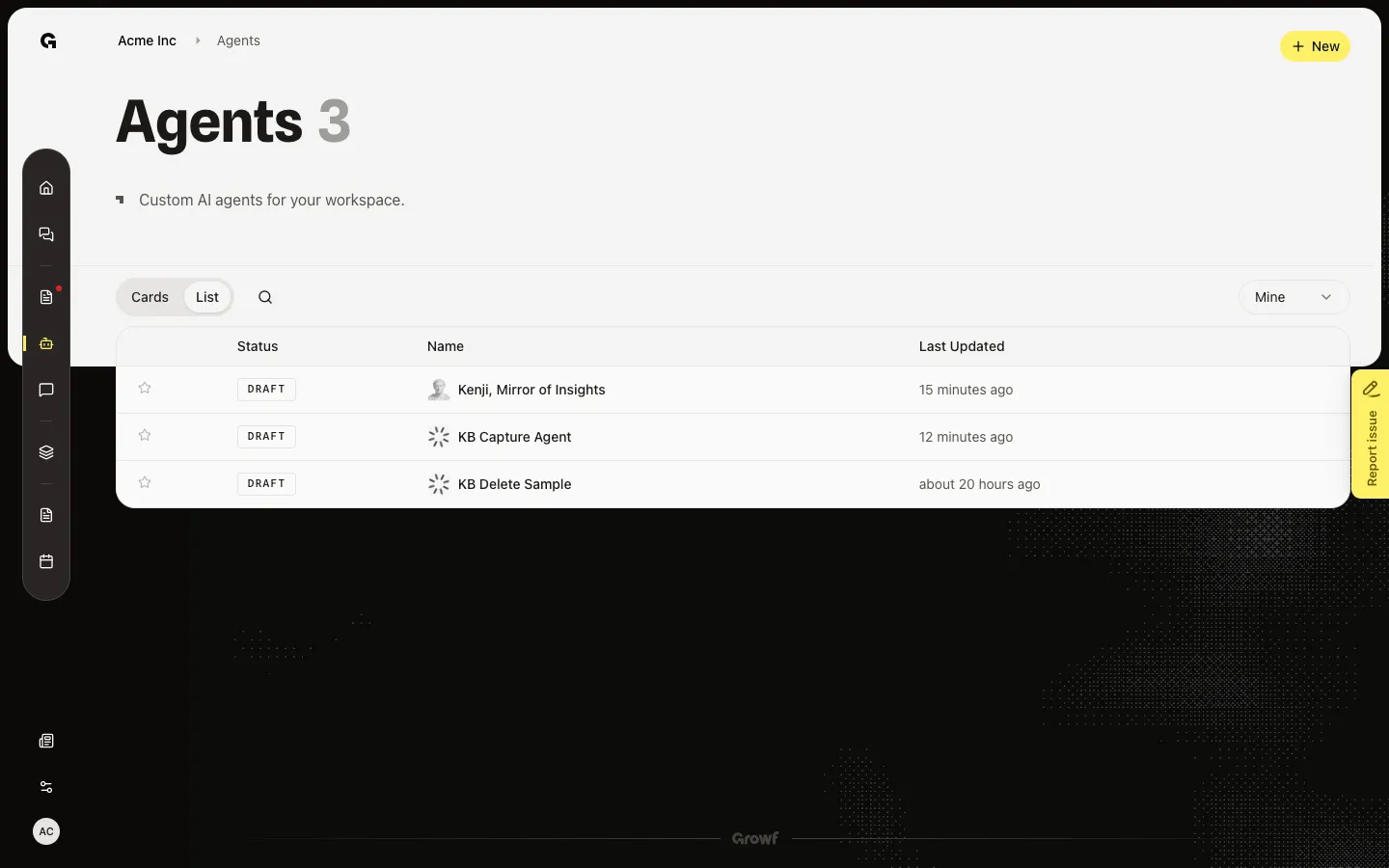
Choose List to see Status, Name, and Last Updated in a table. Hover a row for Delete (if you can delete) and Open. Cards is better for scanning avatars; List is better for status and dates.
Search by name
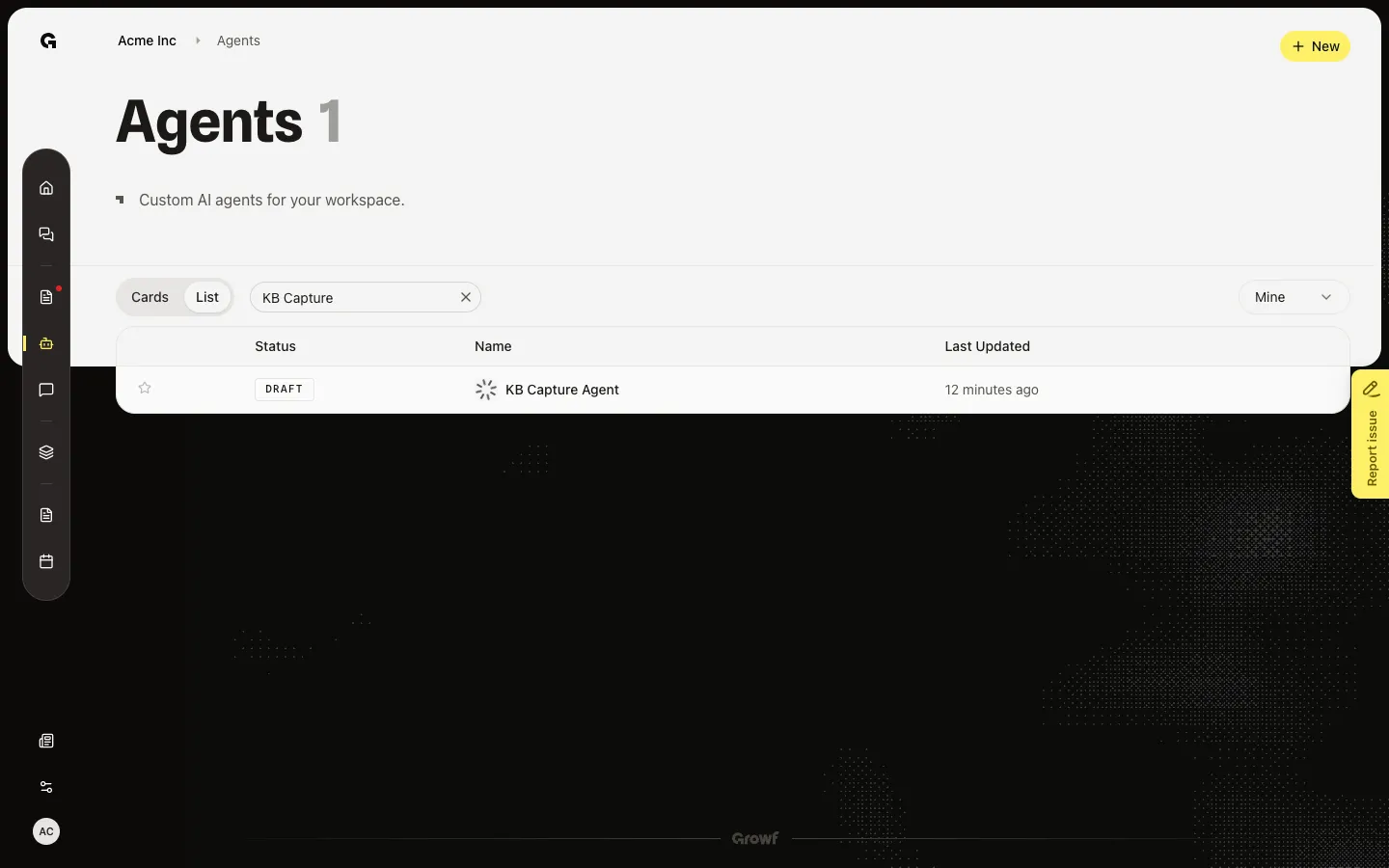
Open search and type part of a name. The list filters as you type. Mine (default if you can create agents) shows agents you created. All shows every agent in the workspace. Favorites shows agents you starred.
Add an agent to Favorites
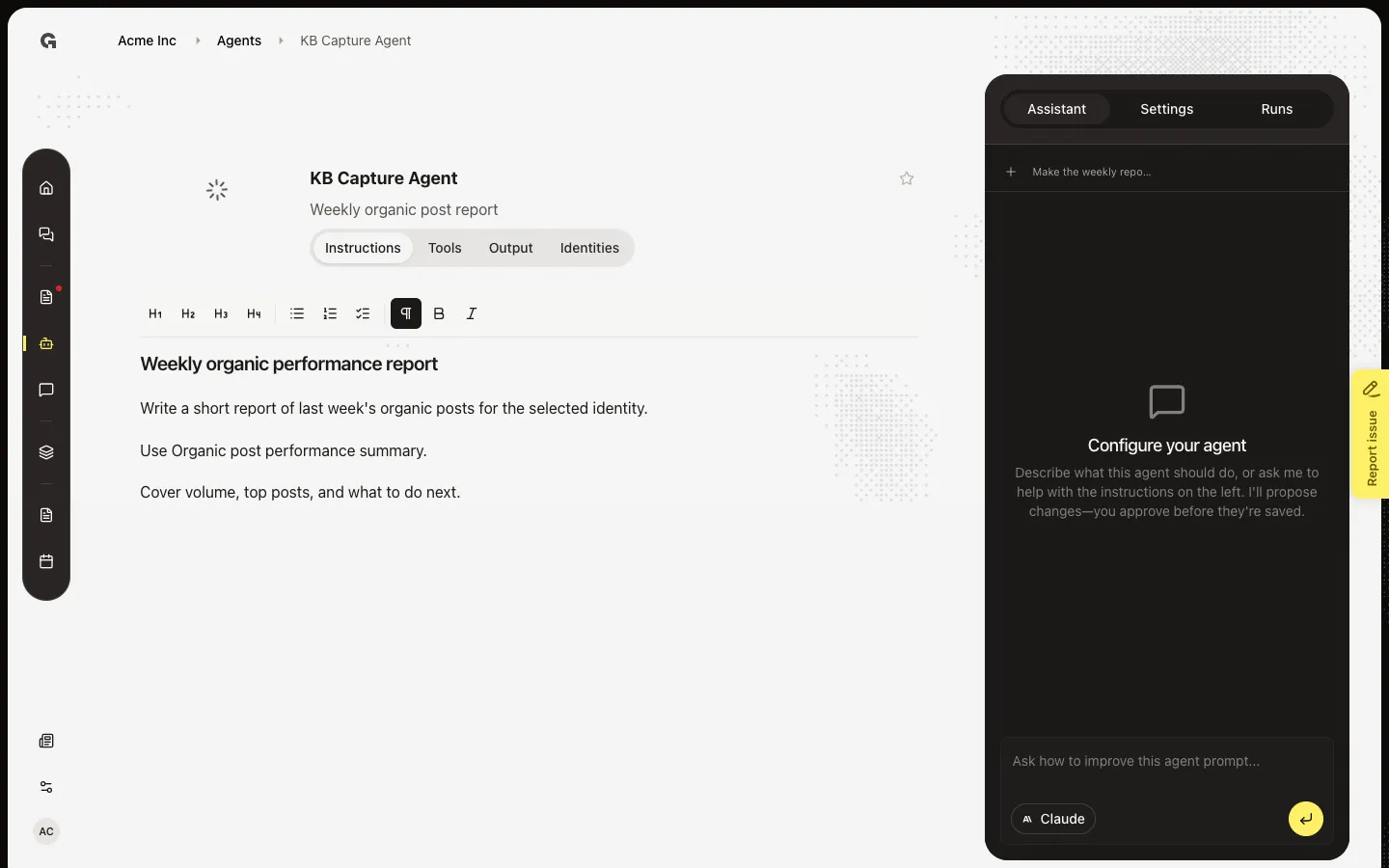
On a card, choose Add to favorites (the star). Then choose Favorites in the filter so only starred agents remain. Open **KB Capture Agent** to manage it. New starts Create a custom agent.
FAQ
I see How to use Agents instead of cards.+
The workspace has no agents yet. Choose New if you can create agents, or ask someone who can. After the first agent exists, Cards, List, search, and filters appear.
I do not see an agent I expect.+
Check the filter. Mine hides agents other people created. All shows every agent. Search matches the name only. You need permission to open Agents.
I do not see New.+
New needs permission to create agents. You can still open agents you can read.
What do I do after I find an agent?+
Open the card or name to manage it. See Create a custom agent, Activate a custom agent, and Run a custom agent.