Assign identity and channels to content
Choose who publishes a social post and which connected accounts it can use.
A social post needs a publishing identity — who posts — and at least one connected account. A persona is optional and only shapes writing help. Article / blog skips identity.
3 steps · About 3 minutes
Start a social post
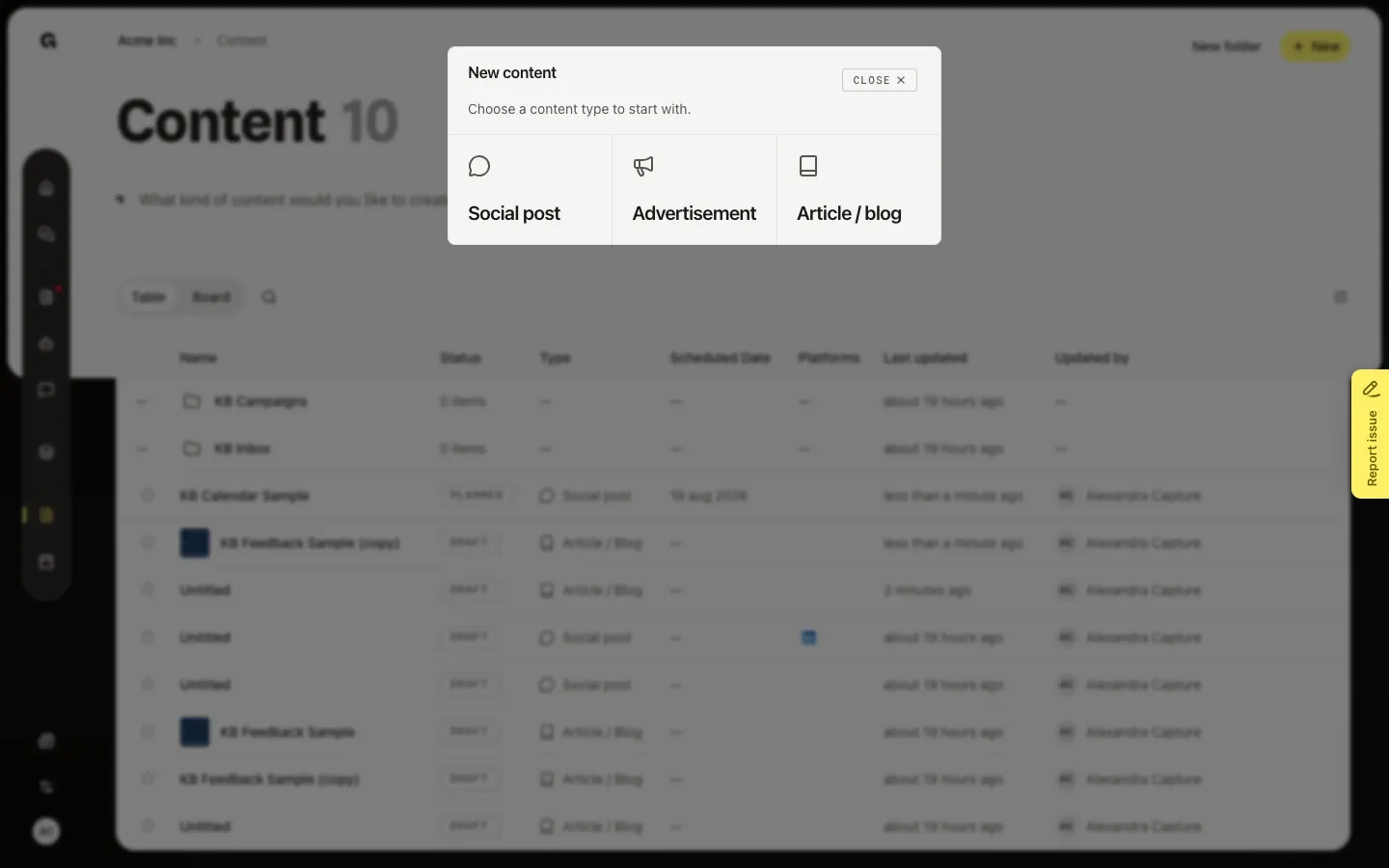
Identity and channels apply to Social post and Advertisement. Article / blog does not need an identity. Choose Content, then New, then Social post. Growf opens Untitled and asks who publishes.
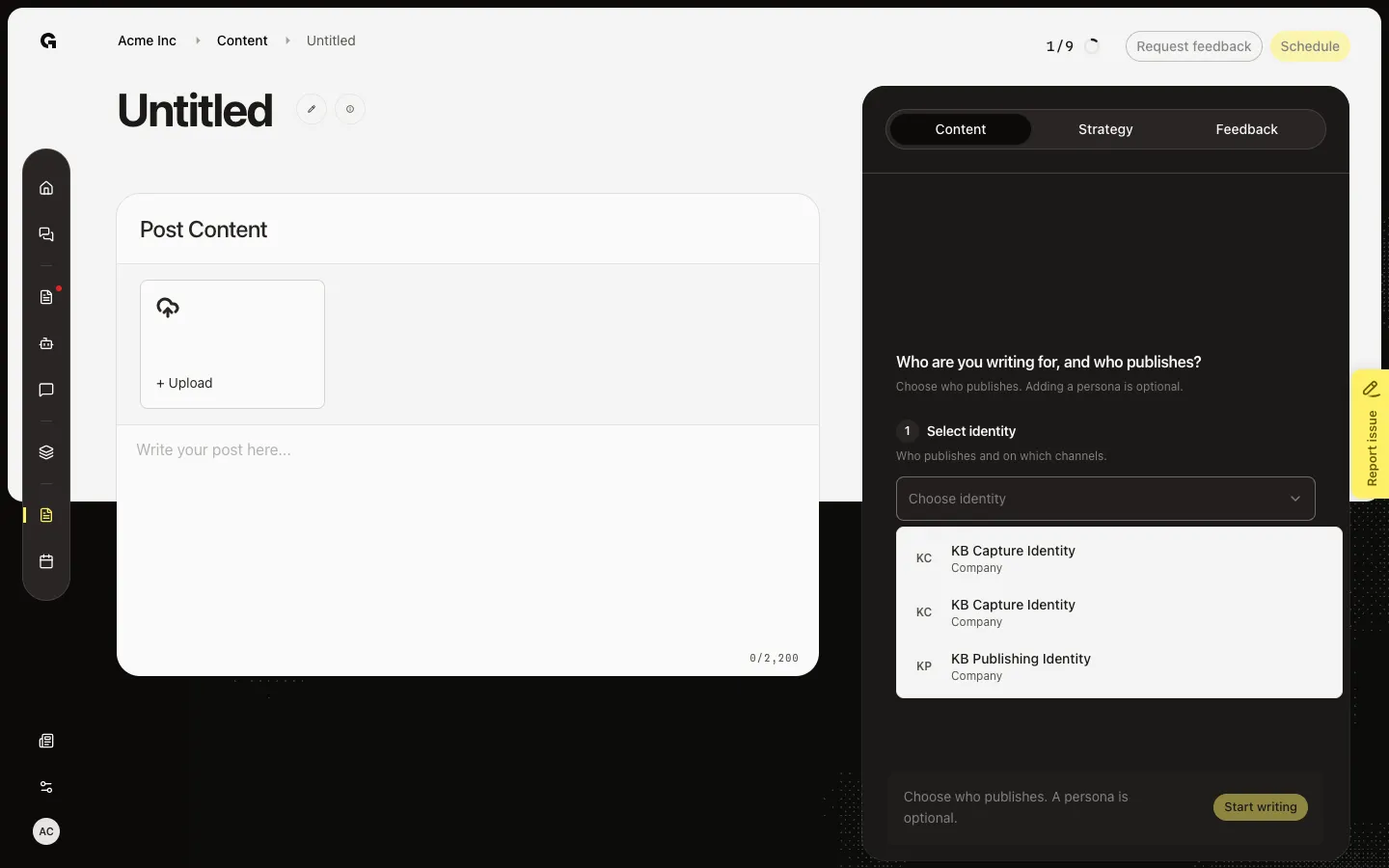
Choose who publishes
Step 1 is Choose identity — who publishes and on which channels. This is required for a social post. Step 2 is Choose persona (optional) for tailored writing help. If the identity list is empty, add an identity in Settings first (Manage publishing identities).
Start writing and pick channels
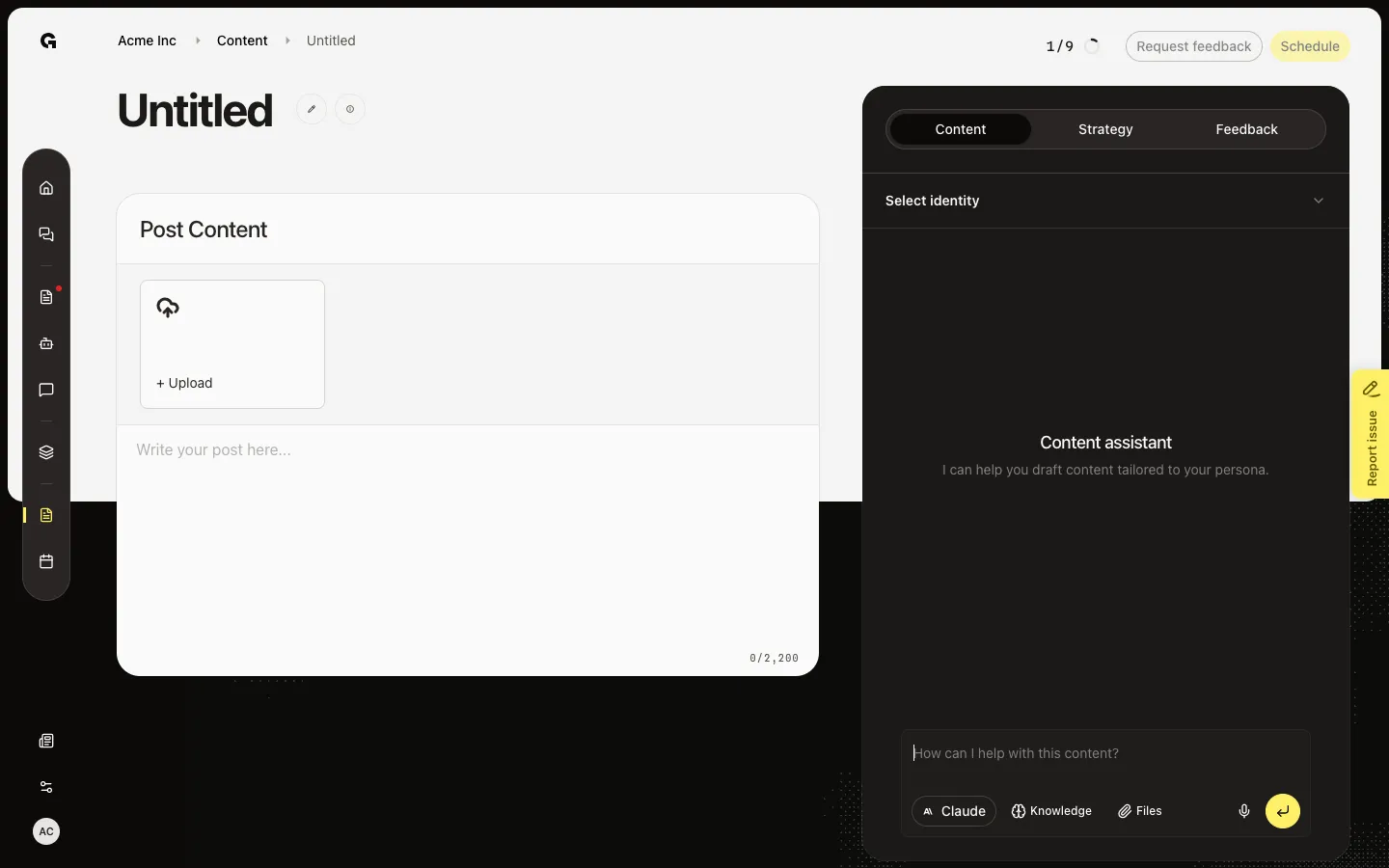
After you pick an identity, Start writing is on. A persona is optional. After you start, the Content tab shows the identity name. Open that row to change identity and toggle accounts (LinkedIn, Facebook, Instagram) linked to it. Only connected accounts appear. Turn a badge off if this post should skip that channel.
FAQ
Choose identity says No identities found.+
This workspace has no publishing identity yet. Create one under Settings → Identities. Capture of this how-to should run after Manage publishing identities so the list is filled.
I picked an identity but see No platforms.+
That identity has no connected channel. Connect LinkedIn, Facebook, or Instagram on the identity, then return and toggle the account badges.
Does an article need an identity?+
No. Article / blog can start without one. A persona is optional for suggestions. Identity and channels are for social posts and ads.
How do I change the identity later?+
Open the Content tab on the draft. The identity name is a control above the assistant. Open it, pick another identity, and toggle accounts.