Archive a conversation
Hide a thread from All and Mine, then find it again under Archived.
Archive hides a thread from the main Chats list without deleting it. Anyone who can update chat can archive or restore.
2 steps · About 2 minutes
Find Archive
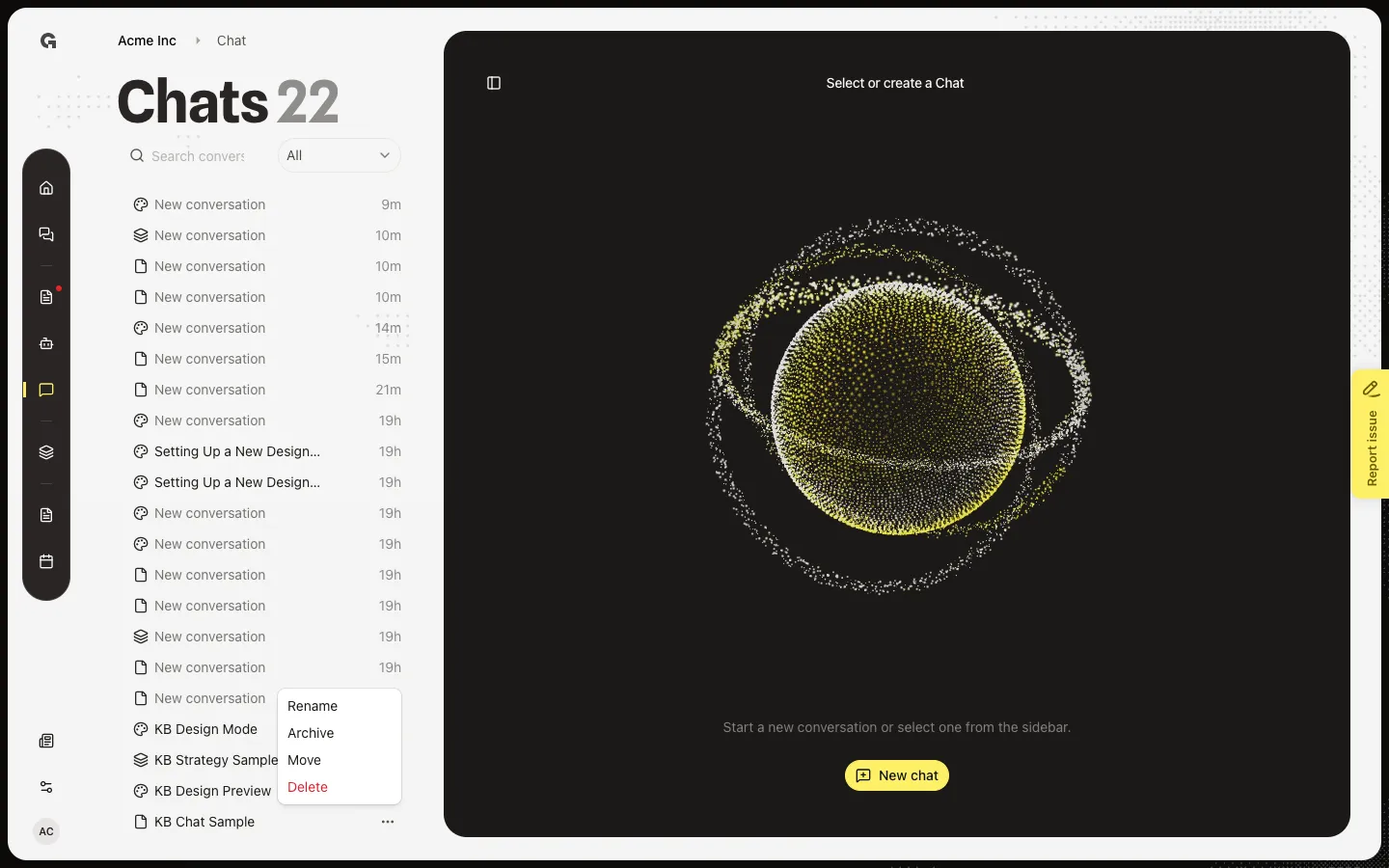
In the Chats list, hover the thread. Open ⋯. Archive sits with Rename, Move, and Delete. Archive hides the thread from All and Mine. It does not delete it. You need permission to update chat.
Open Archived
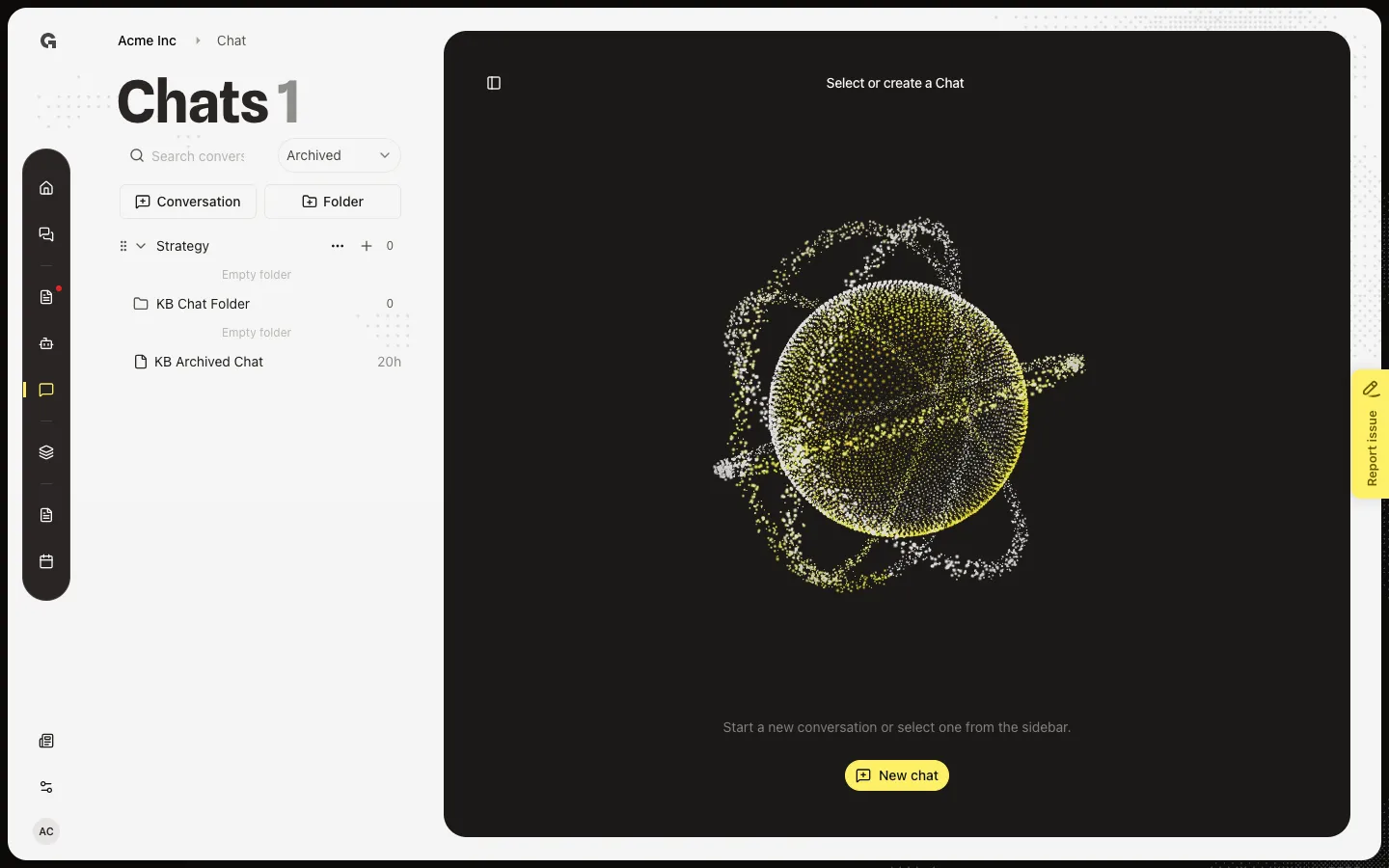
Switch the filter from All to Archived. Archived threads appear here, including KB Archived Chat. Open a row to read it. On an archived thread, the same menu says Unarchive — that puts it back in All. Search also respects this filter. See Search conversations.
FAQ
Should I archive or delete?+
Archive when you want the thread later. Delete removes it for everyone who could see it and cannot be undone. See Delete a conversation.
The chat vanished after I archived it.+
All and Mine hide archived threads. Switch the filter to Archived. Unarchive puts it back.
I do not see Archive.+
You need permission to update chat. You can still open threads you can read.