Approve what the chat does in your tools
Confirm or reject an action the chat wants to take in a connected tool, approve it for the rest of the chat, and check what was done.
Before the chat changes something in a connected tool, such as a deal in HubSpot, it asks you to confirm. You see exactly what it wants to send, and you approve or reject it in the chat. Everyone who can write in the chat can answer; Admin, Strategist and Creator can by default.
2 steps · About 2 minutes
Approve or reject the action
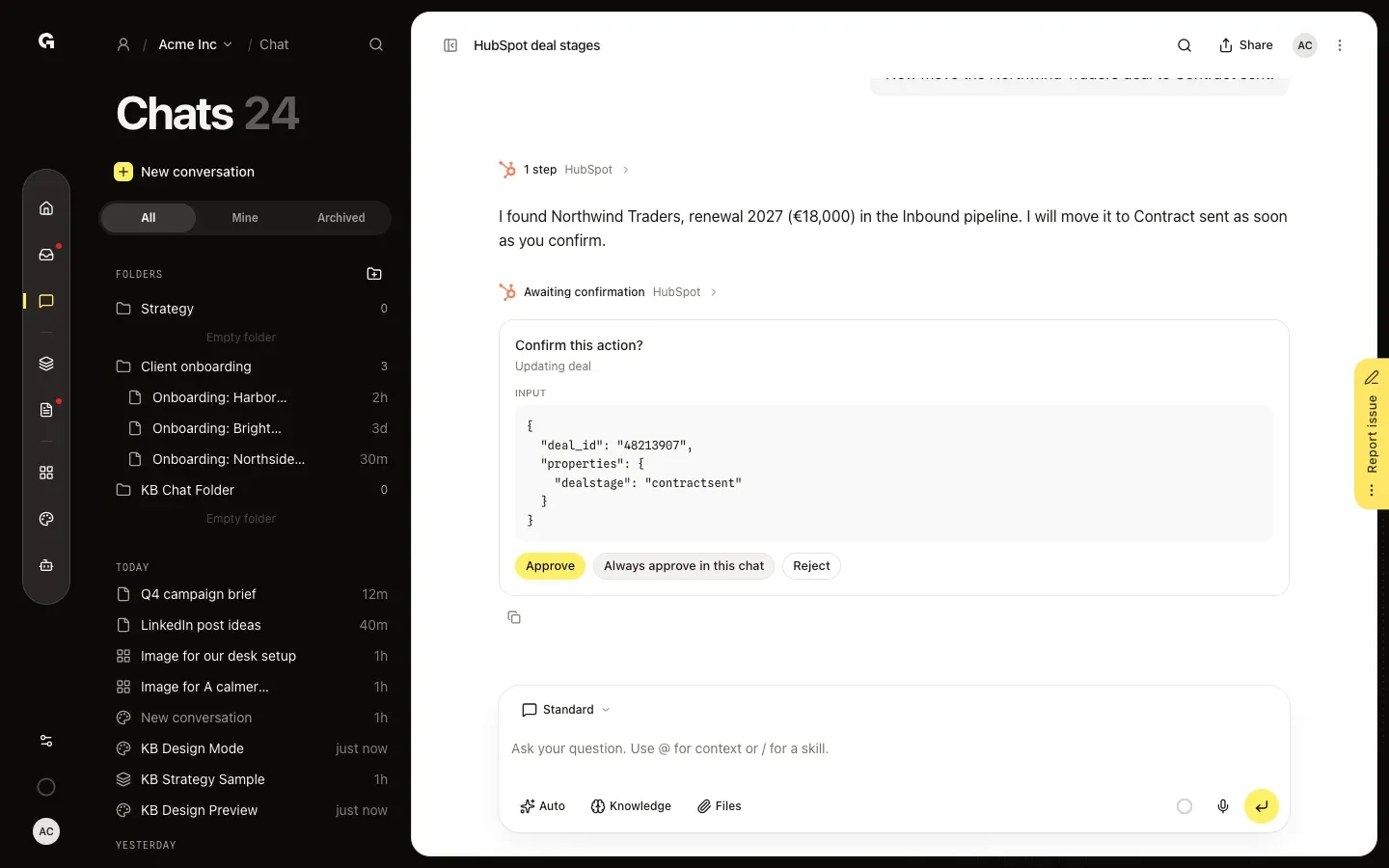
When the chat wants to change something in a connected tool, such as a deal stage in HubSpot, it stops and asks first: Confirm this action?, with what it wants to do, here Updating deal, and the exact Input it will send. Check it, then click Approve to let the chat go ahead or Reject to stop it. Always approve in this chat approves this action and every next request for the same action in this chat, without asking again. That lasts until you reload the page or open another chat.
Check what the chat did
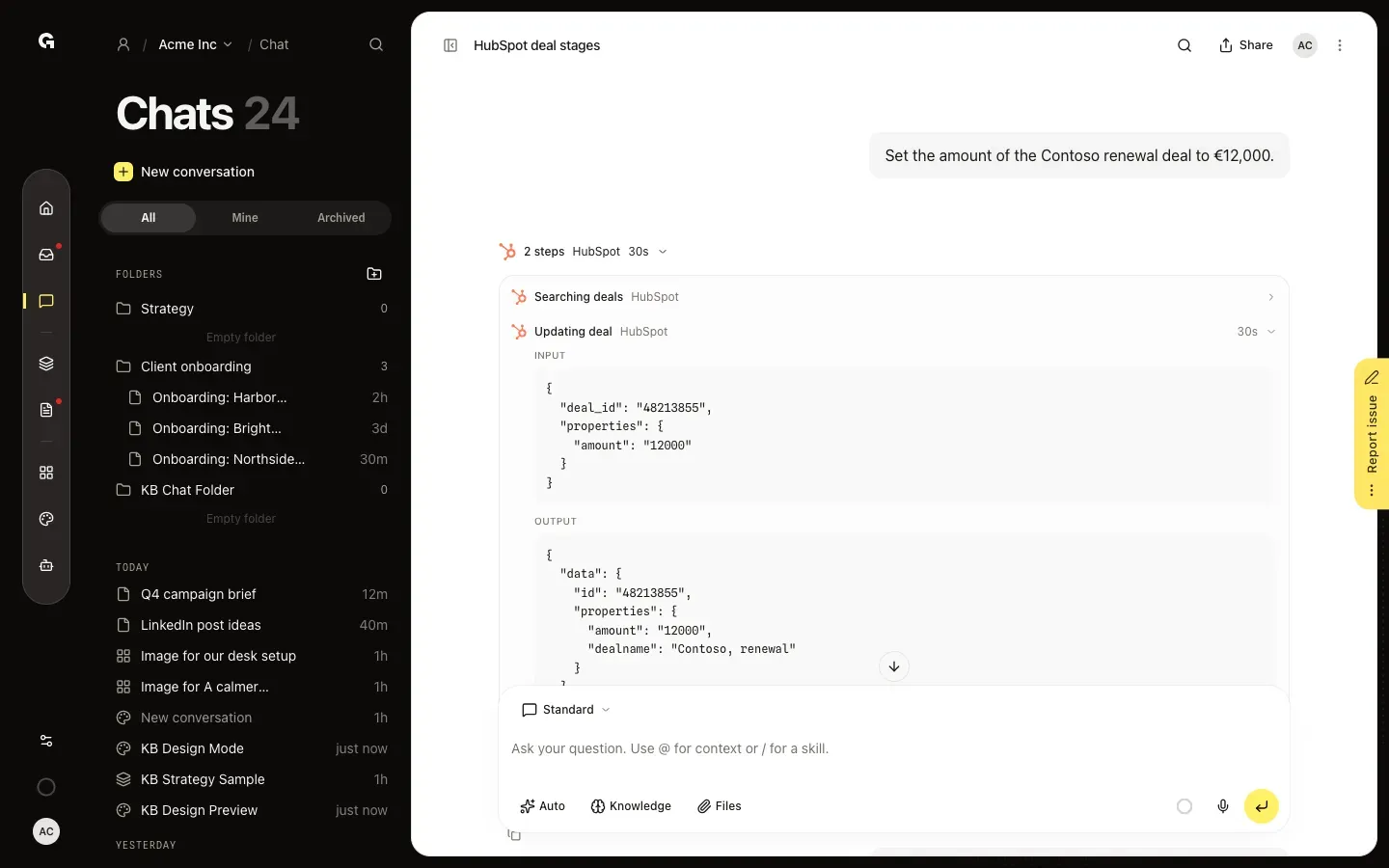
After you approve, the chat carries out the action and tells you the result. Click the line with the steps above its reply, such as 2 steps HubSpot, and then the step, here Updating deal, to see the Input it sent and the Output the tool returned. A step you rejected shows Declined.
FAQ
Which actions does the chat ask me to confirm?+
Actions that change something in a connected tool where a mistake matters, such as creating or changing deals in HubSpot, posting to social channels or changing ads. Reading data never asks. Which actions ask first is set per integration, so you don't decide it per chat.
How long does Always approve in this chat last?+
For this chat, while it stays open: every next request for the same action runs without asking. Reload the page or open another chat and the chat asks again. It only covers that one action, not the tool's other actions.
What happens when I click Reject?+
The action is not carried out and the step shows Declined. The chat then continues its answer without it.
Who can approve an action?+
Everyone who can write in the chat, not only the person who asked; Admin, Strategist and Creator can by default. People who can only read the chat see Only members who can write in this conversation can confirm this.
Can I approve an action for good?+
In your chats in My work you also get Always approve: Growf then runs that action in all your My work chats without asking. You change this back under Settings > Chat in My work. See **Use My work**.