Accept a workspace invite
Open your invite link or Invites, review the workspace and role, and join.
A workspace invite is how someone already in Growf asks you to join their workspace. An admin or teammate sends it from Team or Members. You get an email with a link.
4 steps · About 3 minutes
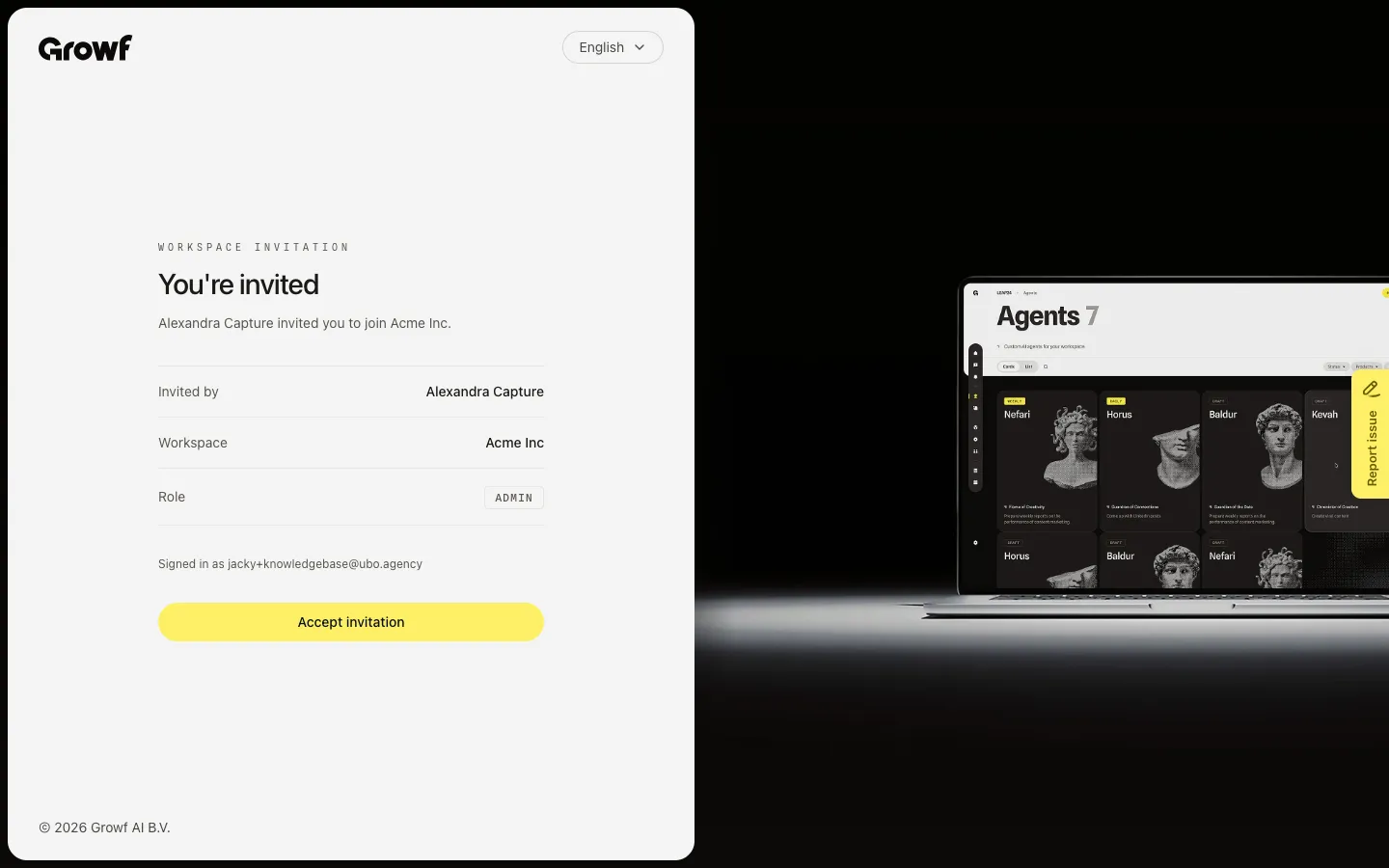
Open the invite from your email
Open the full link in the invite email. Growf shows You're invited, who sent it, the workspace, and the role. If you are already signed in, it also shows Signed in as your email. Choose Accept invitation to join. A link with several workspaces lists them so you can pick which ones to accept.
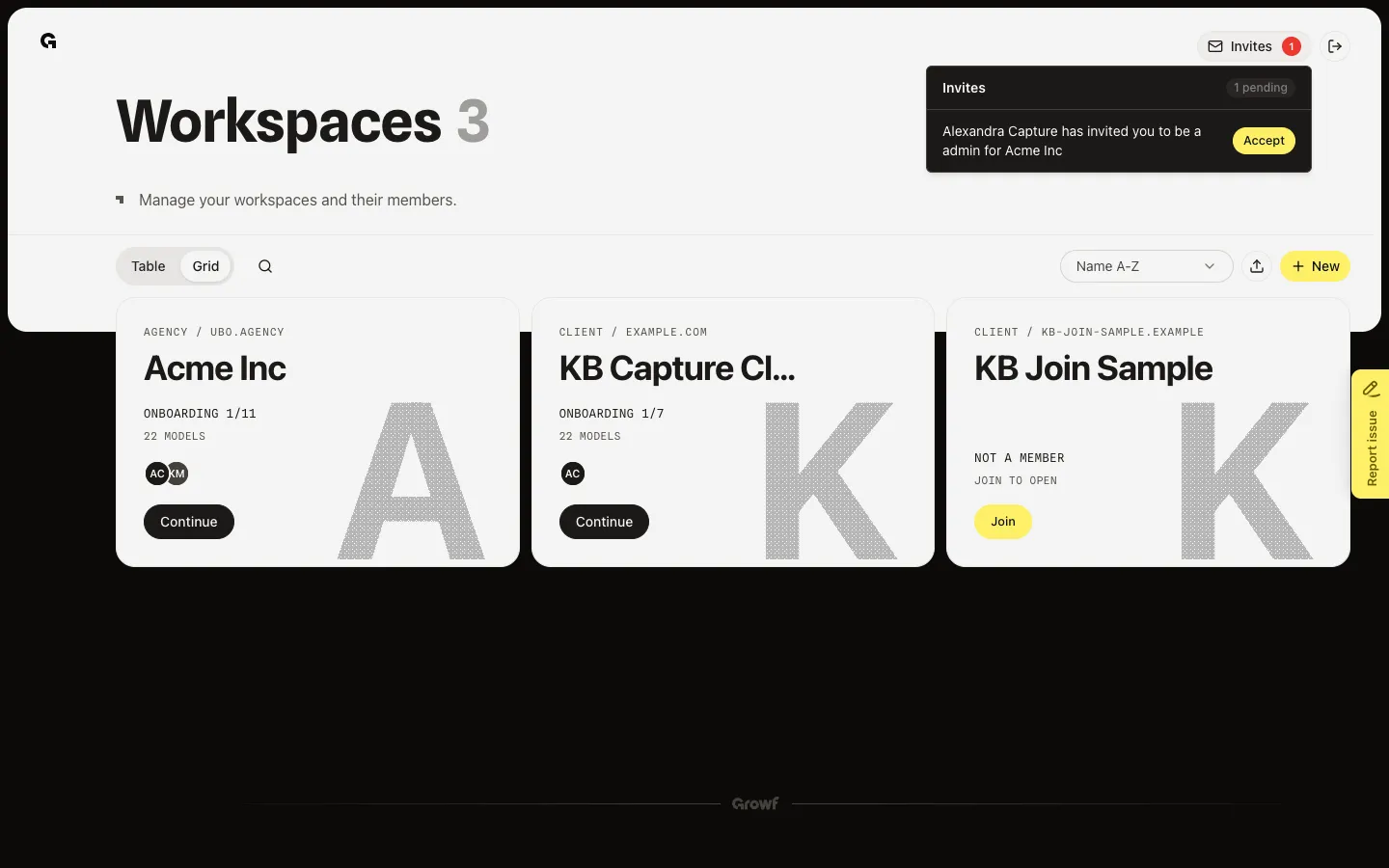
Accept from Workspaces
After you have an account, open Workspaces and choose Invites. Each row names the sender, role, and workspace. Choose Accept on the workspace you want. Growf then opens that workspace, or asks for your name if your profile has none.
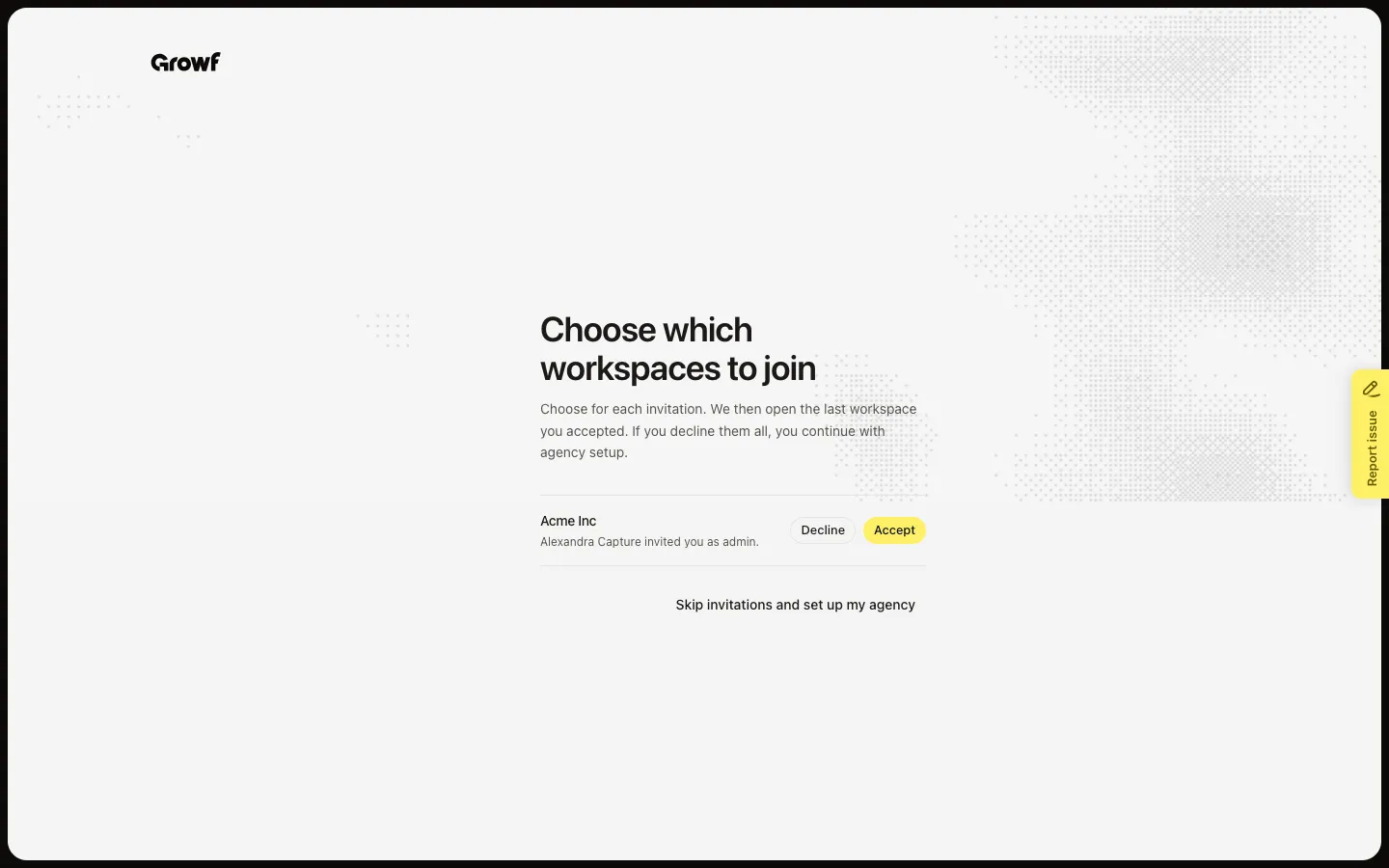
Review invites after you add your name
A new account that still has unused invites opens Choose which workspaces to join after you add your name. Each invite shows who sent it and the role. Choose Accept to join, or Decline to remove that invite. If you accept the last one, Growf opens that workspace.
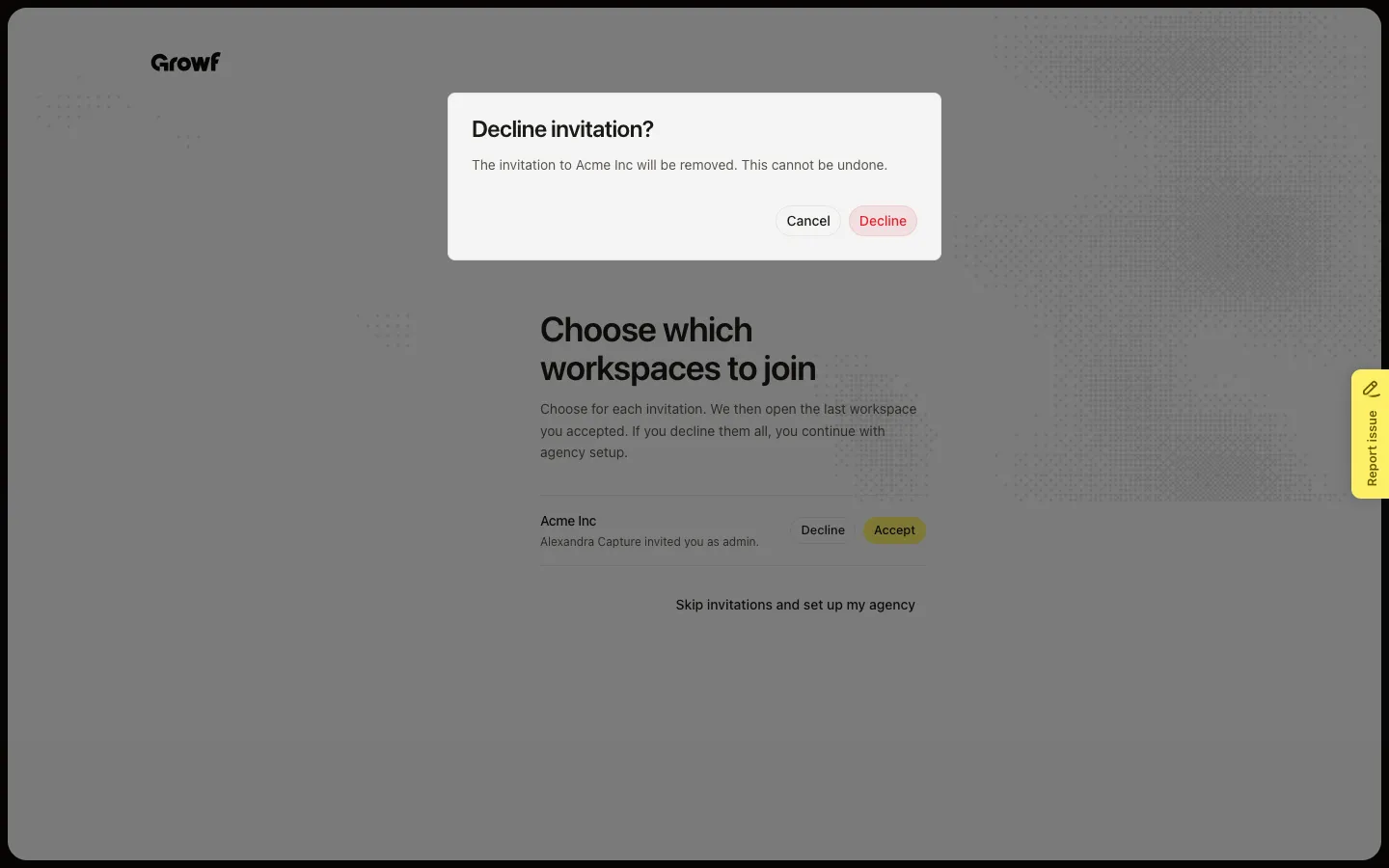
Decline an invite you do not want
Decline asks Decline invitation? Removing the invite cannot be undone. Choose Decline to confirm, or Cancel to keep it. Skip invitations and set up my agency leaves the invites in place and starts agency setup instead.
FAQ
The email link and Invites on Workspaces — which should I use?+
Use the email link if you are not in Growf yet. If you already signed in, Invites on Workspaces lists the same unused invites. Some emails open Accepting invite… and finish on their own, then show Connection successful! and Go to Workspaces.
Growf says to use a different email.+
Sign in with the address on the invite. Use Sign in with email or Sign in with Google, then open the link again. A missing or broken token shows an error — open the full link from the email.
The invite says it was withdrawn or is no longer valid.+
The sender revoked it, it expired, or it was already used. Ask them to send a new invite. Withdrawn rows stay visible on a multi-workspace email but you cannot accept them.
What happens after I accept?+
If your profile has a first and last name, Growf opens the workspace. If not, it opens What should we call you? Add your name, then Growf opens the workspace. Setup for that workspace may still be unfinished — see Complete workspace onboarding. This is not Join on a workspace card; that path is for agency admins (see Join a workspace).