View performance stats
Read workspace counts for products, identities, and marketing content, or finish the setup checklist first.
This page is the workspace count dashboard: how many products, ICPs, personas, identities, and marketing pieces you have, plus how many are scheduled.
1 steps · About 1 minute
Open the statistics dashboard
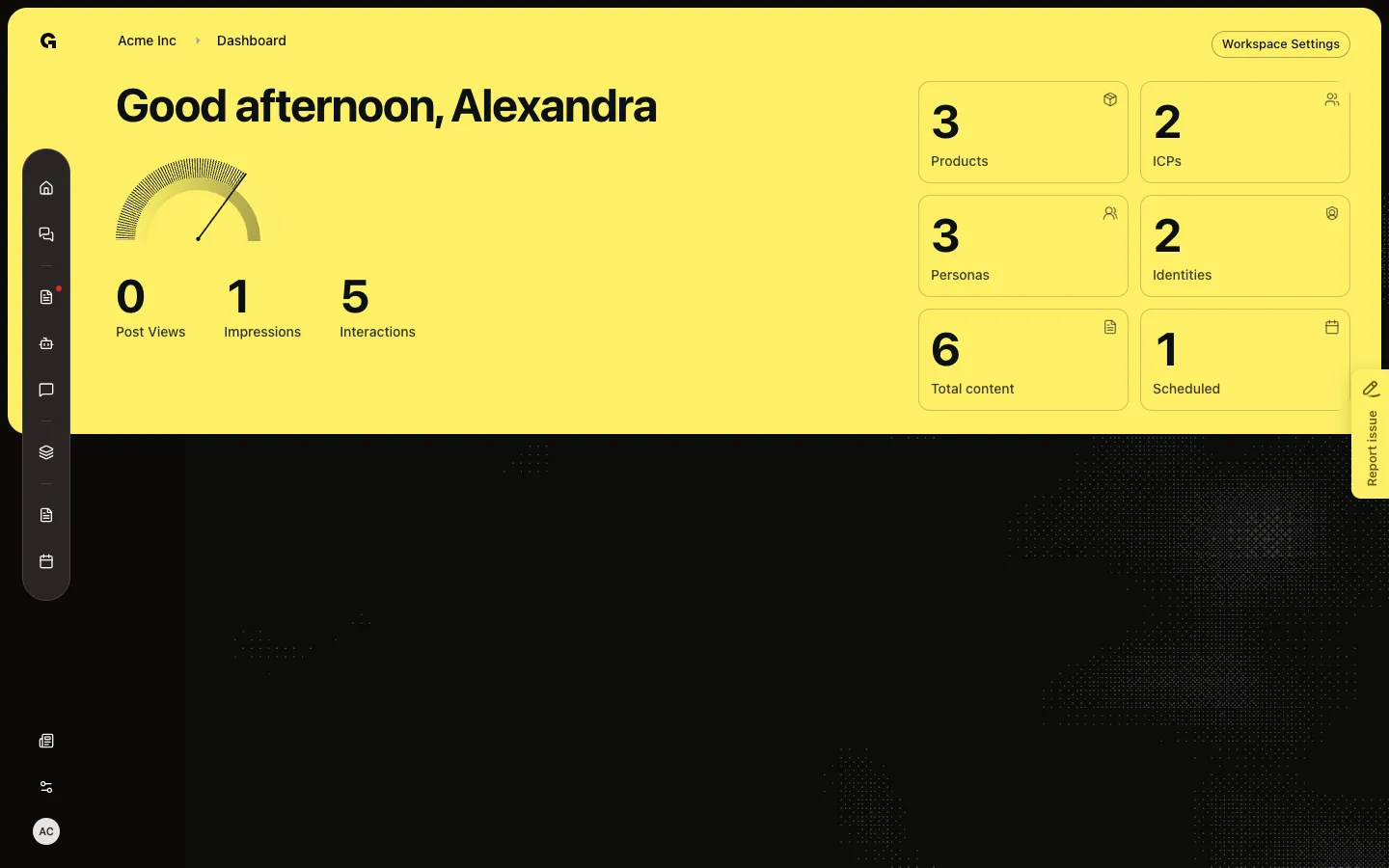
Open /stats in this workspace (it is not in the sidebar). After setup is marked complete — or if you cannot update content — you see the dashboard. The greeting uses your name. The three large figures are labeled Post Views, Impressions, and Interactions; the numbers are published, scheduled, and draft marketing pieces (social post, advertisement, article / blog). Tiles count Products, ICPs, Personas, Identities, Total content, and Scheduled. Workspace Settings appears if you can update content.
FAQ
How do I open this page? I do not see it in the sidebar.+
There is no sidebar item. Home points here as the full setup checklist. Open /app/{workspace}/stats or follow the link from Phase & progress / Home copy.
I see Set up your Growf Operating System instead of gauges.+
Setup is not marked complete and you can update content. Finish Strategy (product, ICP, persona) and Marketing (identity, a draft, a scheduled piece). When every step is done, choose Go to dashboard statistics. That sets onboarding complete and shows the gauges.
Do Post Views and Impressions mean social analytics?+
No. Those labels sit on published, scheduled, and draft counts for marketing types. Channel analytics live on a connected identity and on published posts in the calendar.
A teammate sees gauges and I see the checklist.+
The checklist is only for people who can update content, and only until someone completes onboarding. After Go to dashboard statistics, everyone with access sees the gauges.