Duplicate content as a draft
Copy a piece to a new draft so you can reuse the text without changing the original.
Duplicate makes a new draft from an existing piece so you can reuse the copy without changing the source. Anyone with create permission can do this from Table.
3 steps · About 3 minutes
Open Content
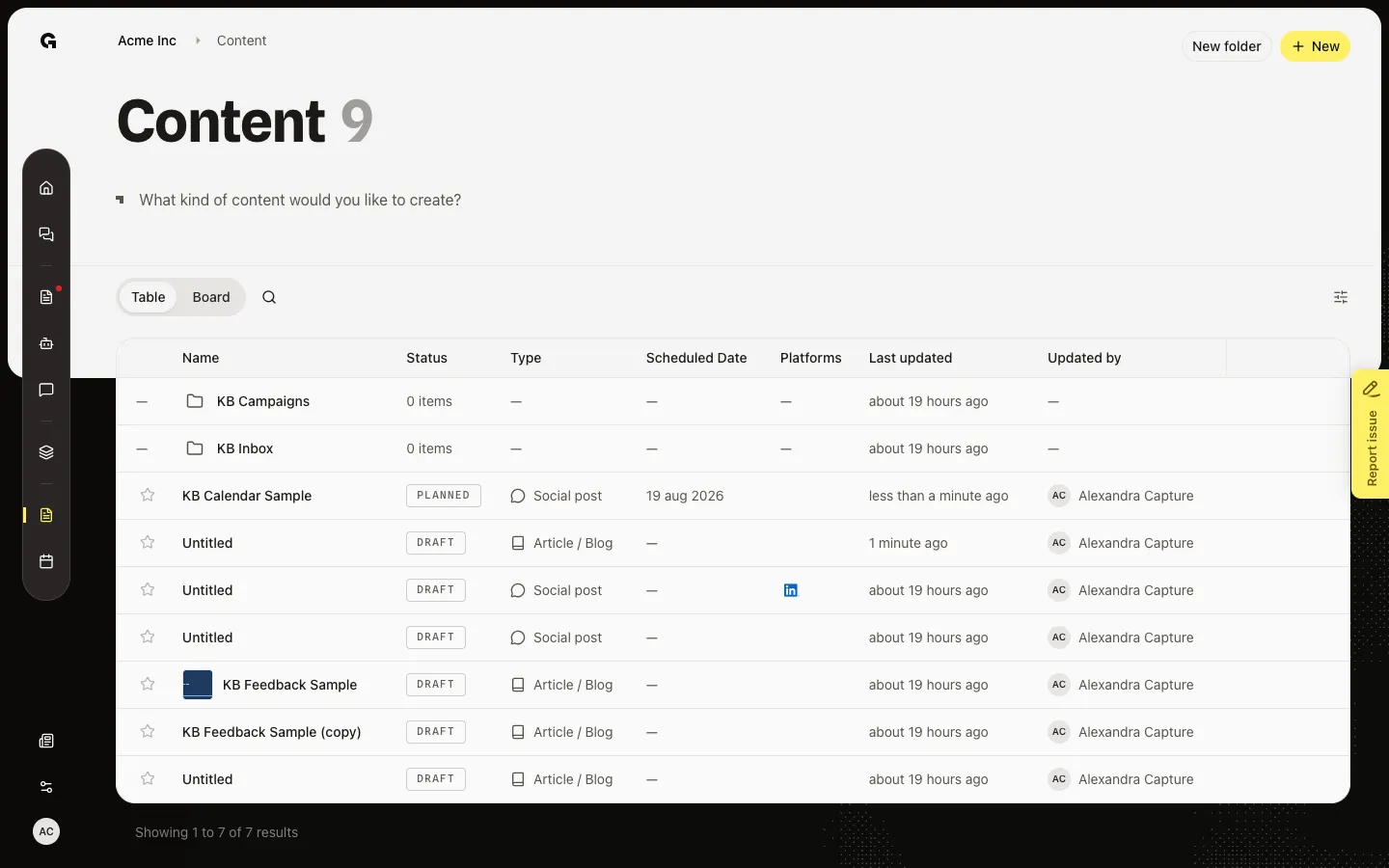
Choose Content and stay on Table. Row actions sit on the right and appear when you hover a row. You need create permission to duplicate.
Open Duplicate as draft
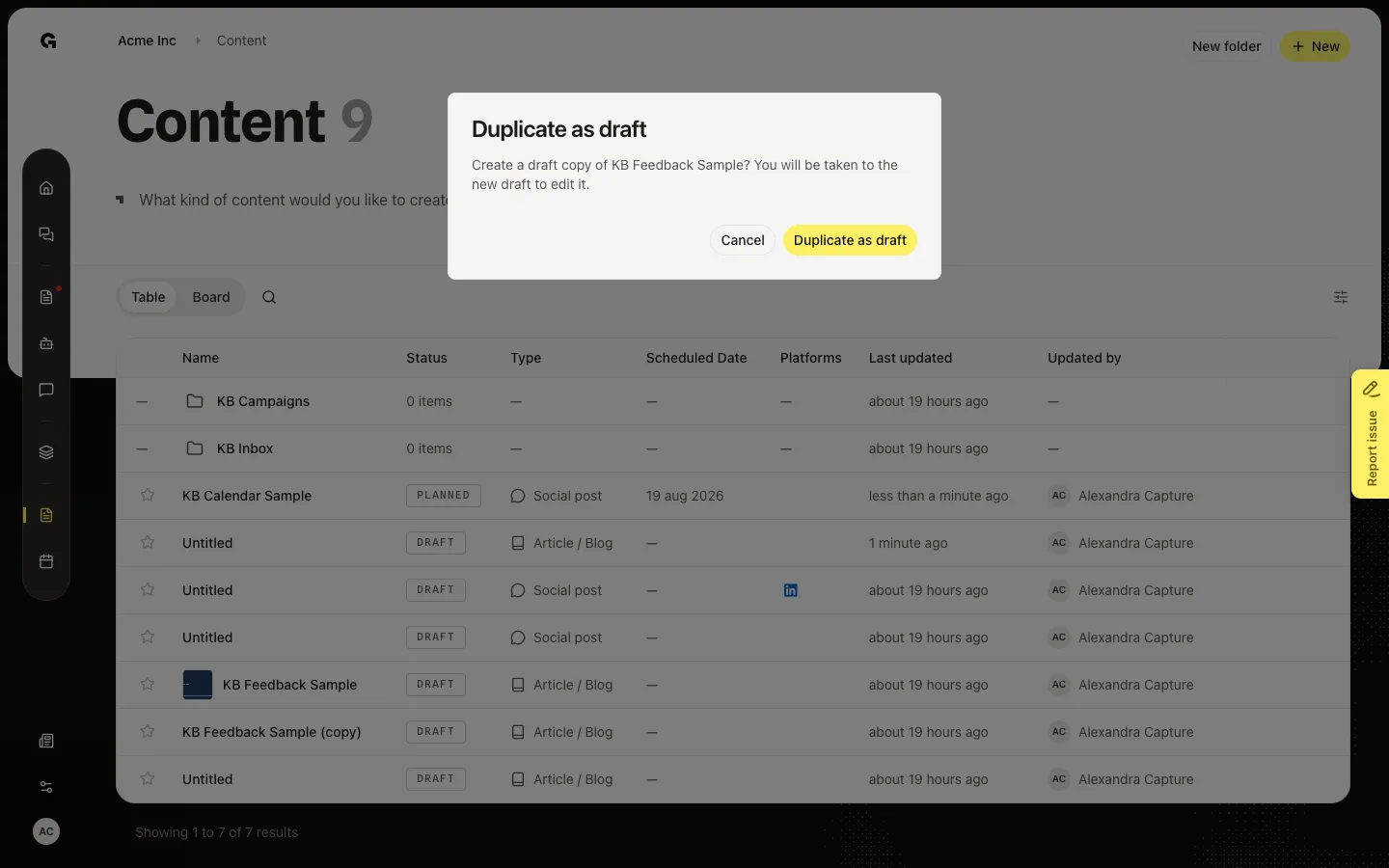
Hover the KB Feedback Sample row. Duplicate as draft, Move, and Delete appear on the right. Click Duplicate as draft. The dialog asks if you want a draft copy of this name. Cancel leaves the original as it is.
Confirm and open the copy
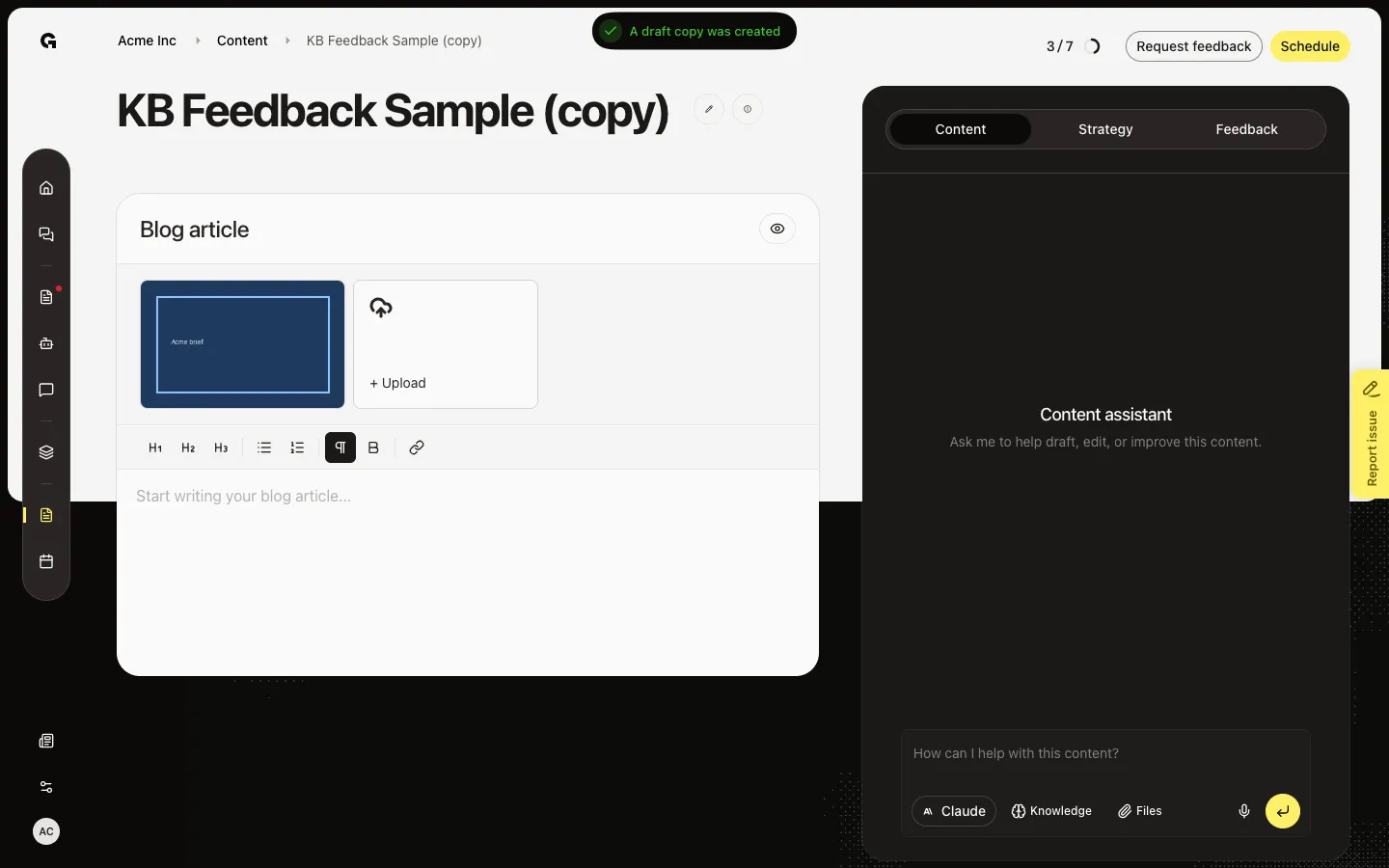
Confirm Duplicate as draft. Growf creates KB Feedback Sample (copy) and opens that draft. The original stays on the list. Use this when you want a new version of a posted or approved piece without editing the original.
FAQ
I do not see Duplicate as draft.+
Stay on Table and hover the row. You need create permission. Board cards have no duplicate action.
What does the copy include?+
The new draft gets the text, type, and attachments, and the name plus (copy). Feedback requests and the live published post stay on the original.
Should I duplicate or edit the original?+
Edit when this is still the same piece. Duplicate when the original must stay (already posted, or you want a second version).